Orca integration
The Orca app by Orca Technologies AS can transfer routes to aRaymarine Axiom-Series and Axiom 2-Series chartplotters.
OrcaIntegrationPrerequisites:
Chartplotters must be running LightHouse v4.9.330 or later.
v2025.13.1 or later of the Orca app is required.
A route saved to the Orca app can be sent to the chartplotter and displayed in the chart app. Only one route can be transferred at a time. If a subsequent route or an update to an existing route is sent, it will overwrite the route on the chartplotter. Orca routes are easily identified in the chartplotter chart app with a unique Orca route symbol.
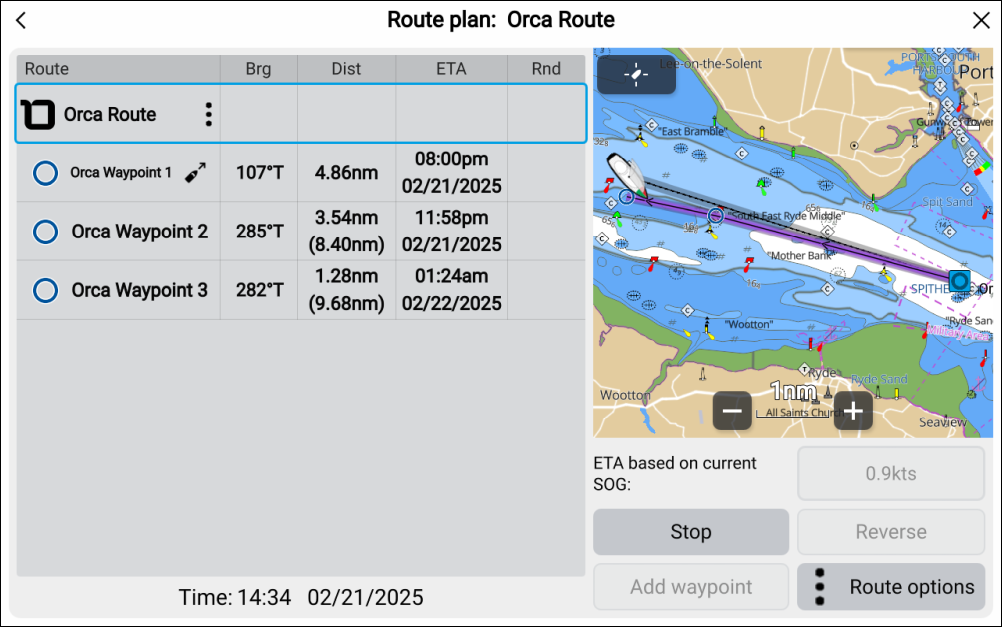
The Orca route can be followed from the MFD / chartplotter in the same way as a route that was created on the chartplotter.
With the exception of the Route color, an Orca route cannot be edited or changed from the MFD / chartplotter.
Orca routes can be hidden and deleted from the chartplotter.
If a new or updated route is transferred from the Orca app, it is automatically displayed in the MFD / chartplotter’s chart app.
Changes to the Orca app are outside of Raymarine’s control. As such, the process for transferring routes within the app may change from that documented here. For the latest instructions for using the Orca app, please refer to the Orca Technologies AS website: getorca.com