Pilot sidebar — Navigation (Track)
When the autopilot is engaged in Navigation (Track) mode the Auto sidebar will be displayed.
Navigation (Track) mode will only be enabled when there is Active navigation.
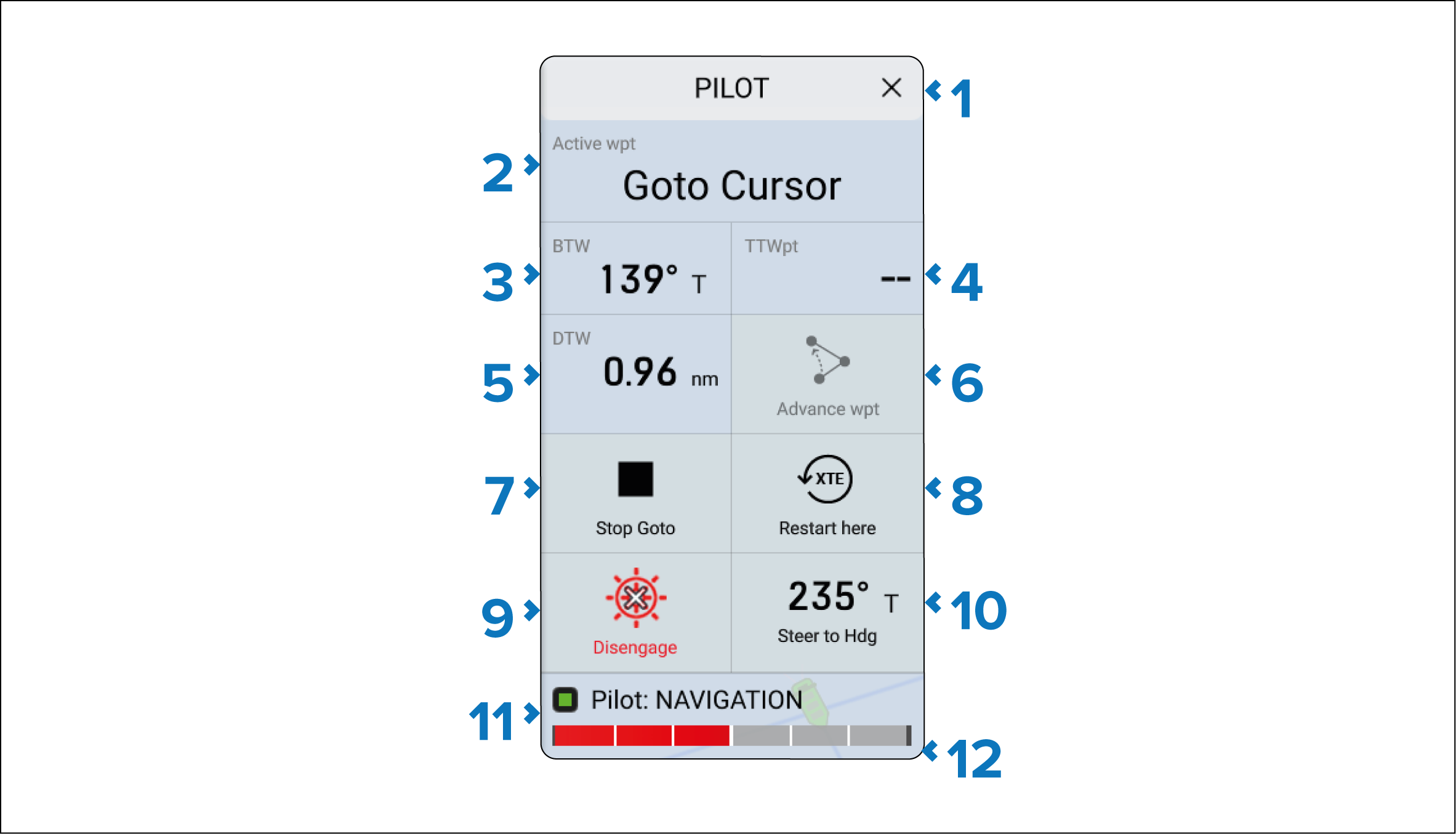
Description |
|
|---|---|
1 |
X (Close) — Closes the Pilot sidebar. |
2 |
Active Wpt — Indicates the destination waypoint/goto. |
3 |
BTW — Indicates the BTW (Bearing To Waypoint). |
4 |
TTWpt — Indicates the Time To Waypoint. |
5 |
DTW — Indicates the DTW (Distance To Waypoint). |
6 |
Advance wpt — Advances navigation to the next waypoint in a route. Note Advance wpt will only be available when following a route. |
7 |
Stop Goto/Stop Route — Stops Active navigation and provides options to Disengage pilot or Maintain Hdg (Locked heading). |
8 |
XTE Restart here — Restarts the cross track error from your current location. |
9 |
Disengage — Allows you to disengage the autopilot and return to Standby (manual control). |
10 |
Steer to Hdg Steer to Hdg — Enables you to engage the autopilot in Locked heading (Auto) mode. |
11 |
Pilot statusAutopilotStatus — Provides the status of the autopilot. |
12 |
Rudder barRudder bar — Provides visual indication of rudder position. |