Editing the splitscreen ratio
The size of the apps in a splitscreen app page can be changed.
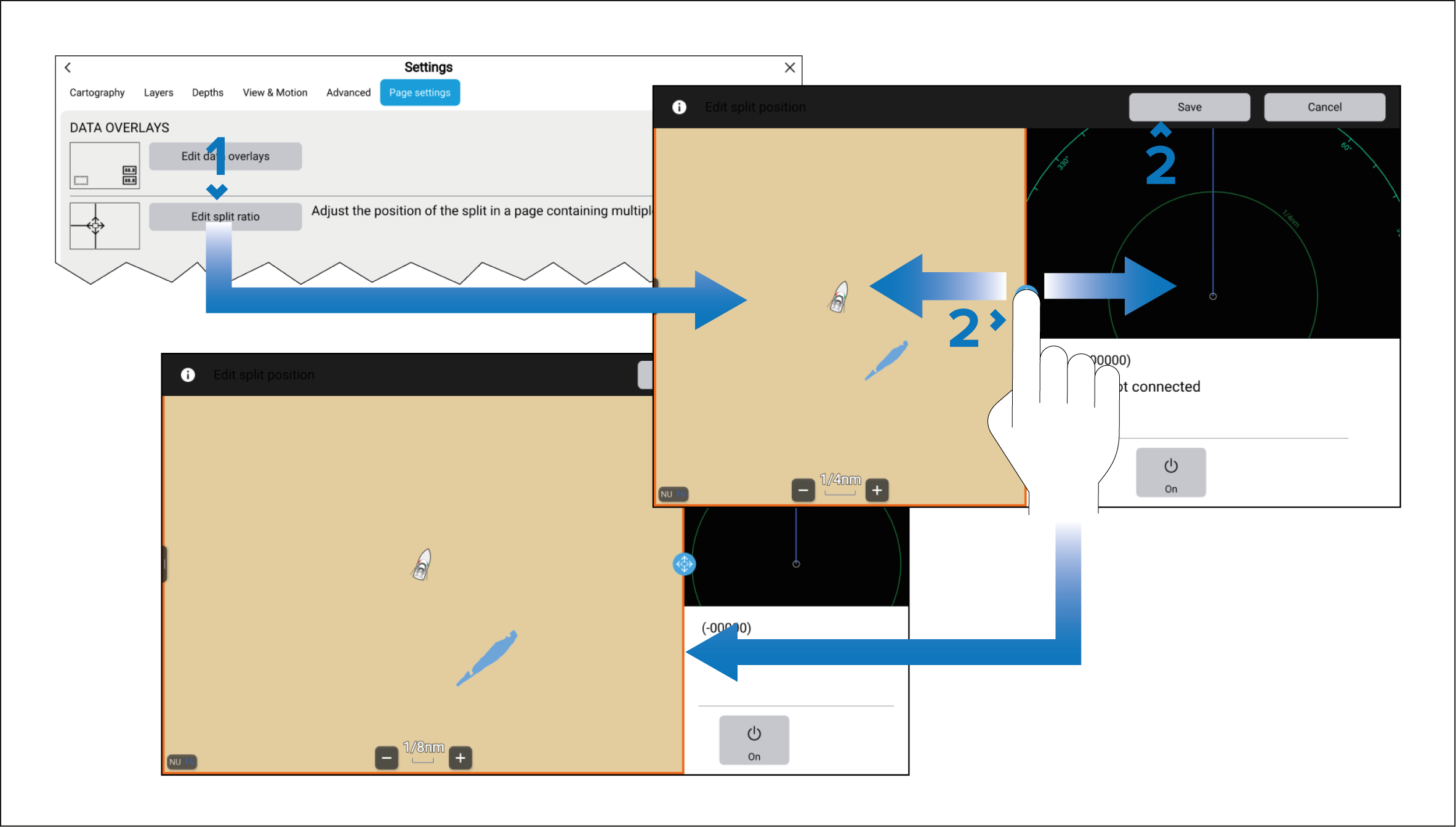
- Select Edit split ratio from the Page settings menu:
- Drag the Resize icon to create the desired split ratio.
- Select Save.
The size of the apps in a splitscreen app page can be changed.