Charted objects
Charted objects can be selected and information about the object can be viewed.
 |
When the cursor is over a charted object it will change to the Object cursor. |
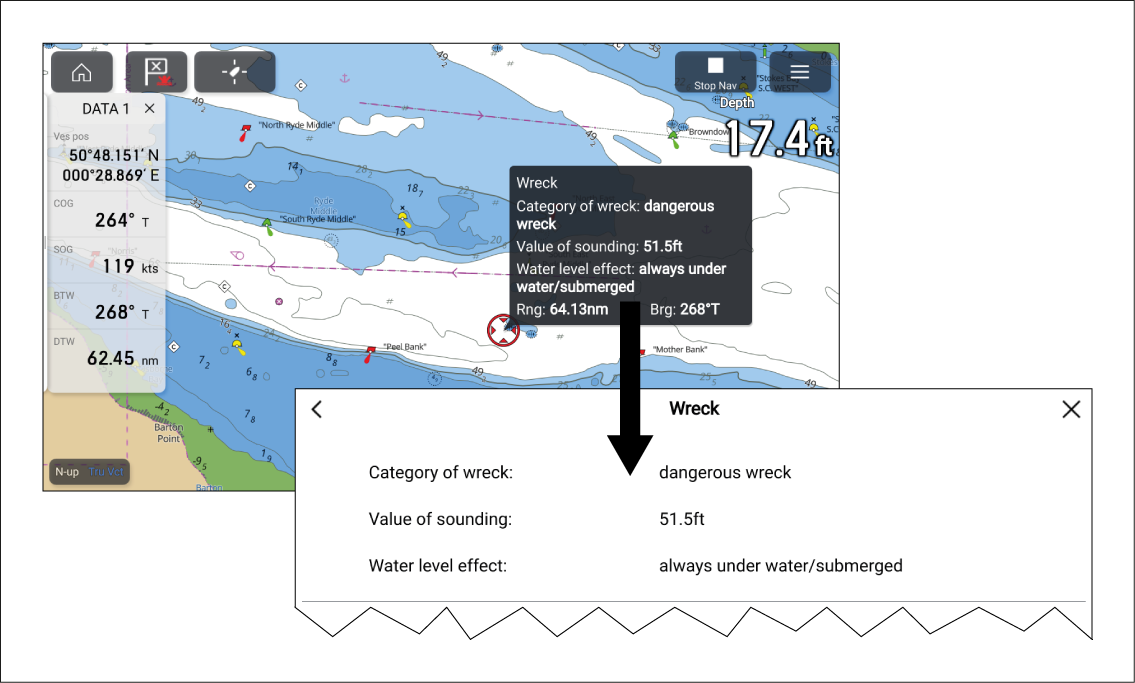
Figure 1. Cursor info box
Cursor info boxesObject informationChart appCursor info boxesObject information When an object is highlighted the cursor info box will be displayed which provides details about the object. Selecting the info box will show the object details on a fullscreen page.
The Cursor info boxes can be disabled from the Advanced settings menu: .
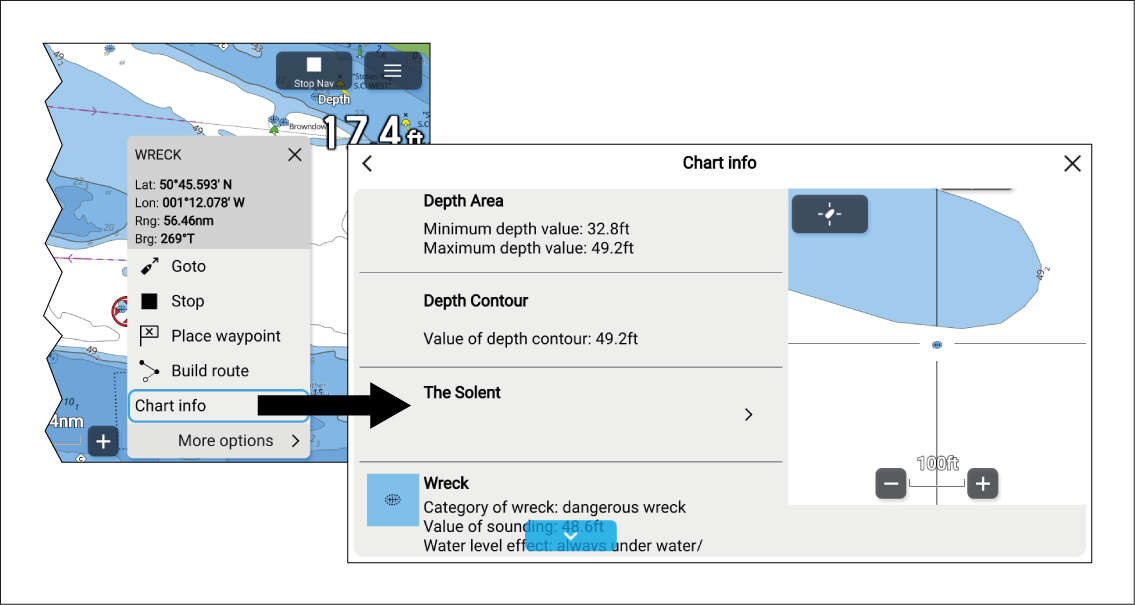
Figure 2. Full chart information
More detailed chart information can be viewed by selecting Chart info from the context menu. The detailed information can be viewed regardless of whether the Chart info boxes setting is enabled or disabled.