Cancelling route approval
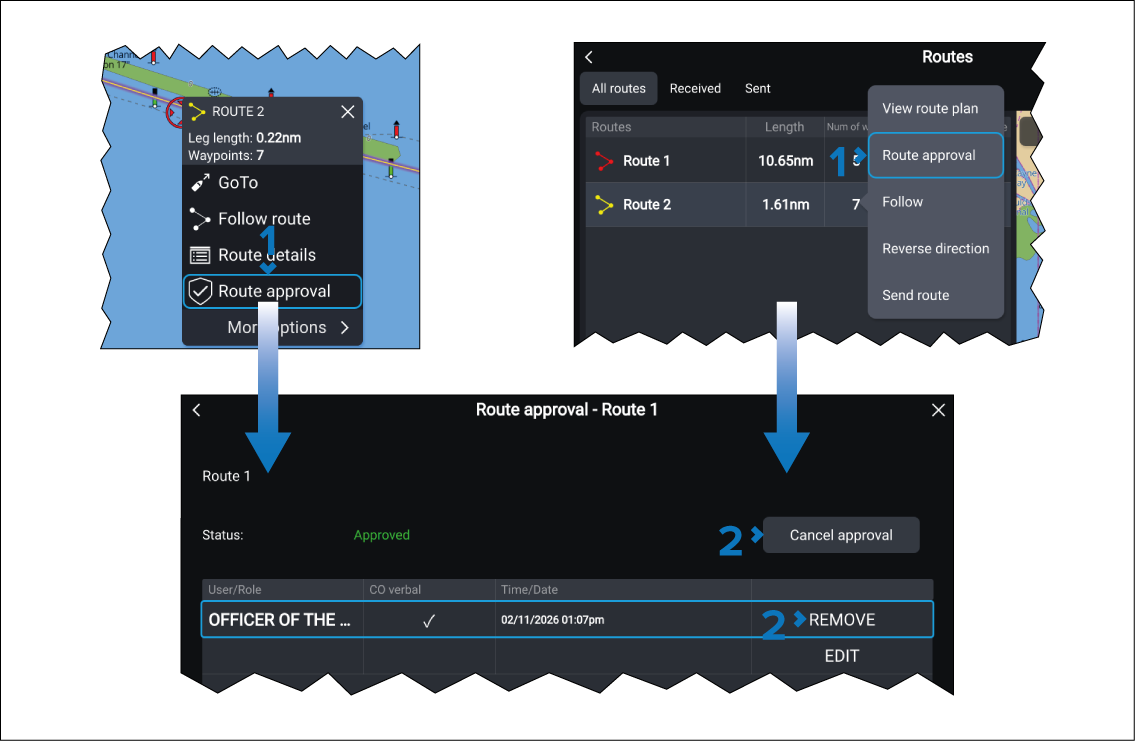
- First ResponderCancelling route approvalSelect Route approval from either the route’s context menu, or from the Routes list pop-over menu.
- Select Either Cancel approval, or REMOVE.
After entering the Approved routes password the route will no longer be approved and can be modified or deleted in the same way as routes that have not been approved.