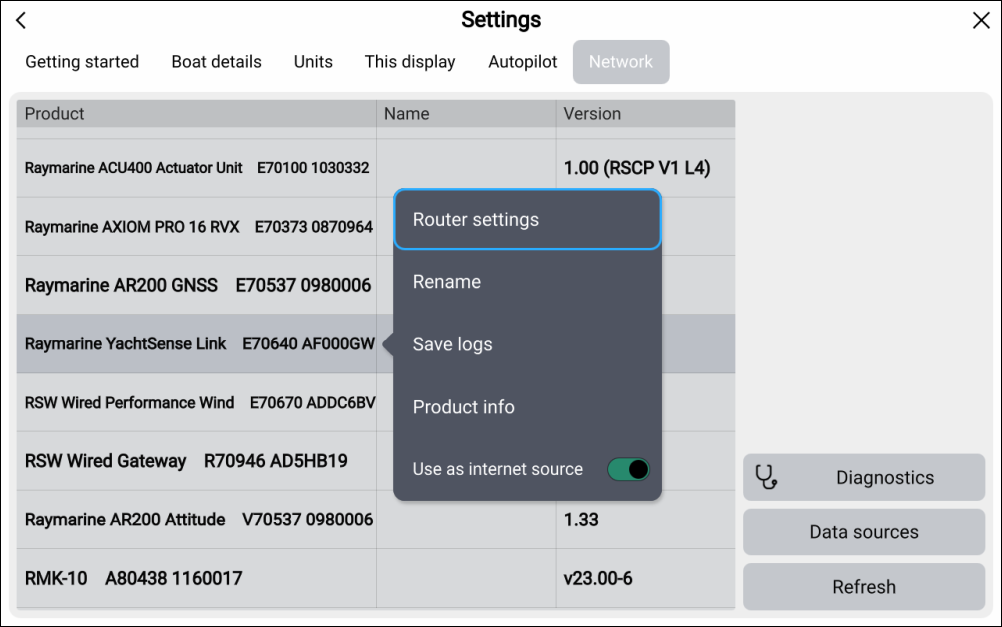
Accessing the web interface from a Raymarine chartplotter
The router’s settings are accessed using the built-in web interface. The web interface can be accessed using a wired connection to a Raymarine chartplotter running LightHouse v4.1.140 or later.
The chartplotter and router must be connected to the same Ethernet network using the RayNet connection, and must also be connected to the same SeaTalk NG / NMEA 2000 network.
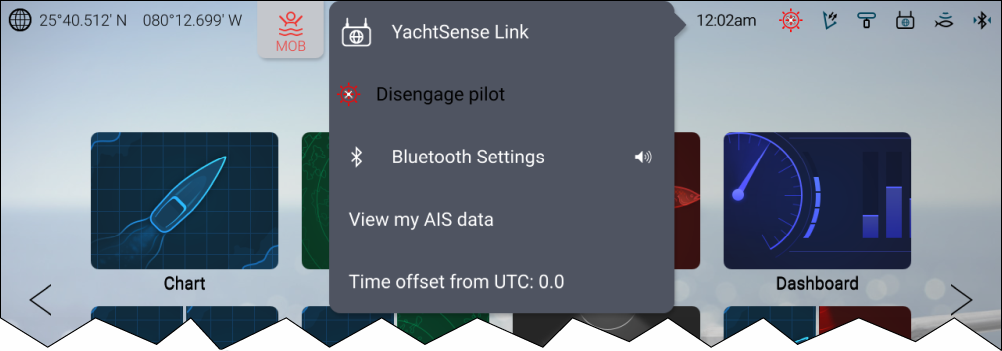
From the chartplotter’s homescreen:
- Select the status area on the top right of the screen.
- Select YachtSense Link from the pop-over options.
If the router’s admin password has not been changed from its default you will be requested to change the password.
The status page is displayed. You can now use the Menu displayed on the left to navigate the web interface and change the router’s settings, as required.
The router’s web interface can also be accessed from the Network menu: by selecting Raymarine Yachtsense Link from the list and then selecting Router settings from the pop-over options.