Default data pages
The Dashboard app comes with a selection of default data pages. The default pages can be customized and hidden from view. New data pages can also be created, customized and deleted.
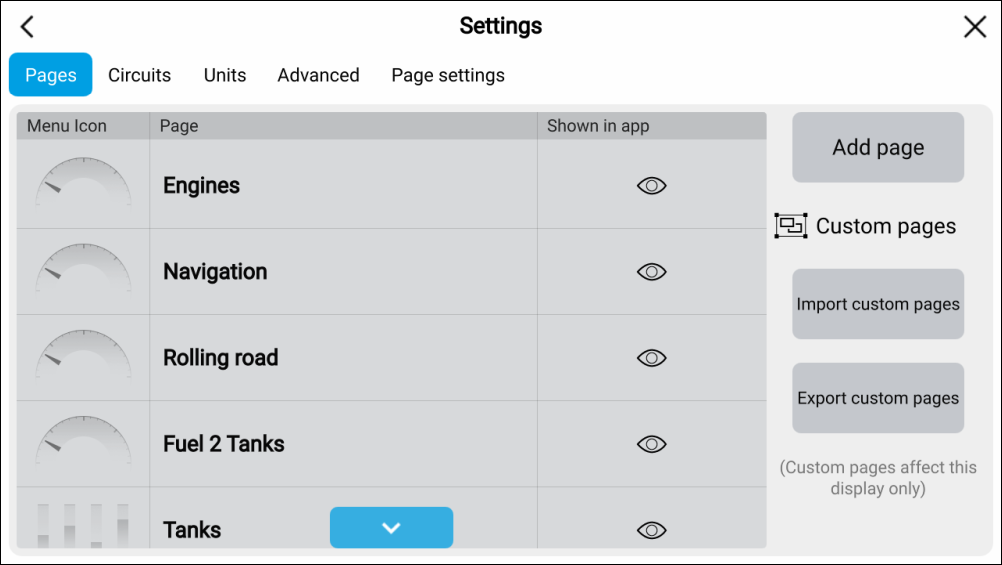
Dashboard app Data pages The following pages are available by default:
Engines. For details refer to: Engine page
Electric propulsion. for details refer to: Electric propulsion page
Sailing (only shown if boating activity is set to Sailing in startup wizard). For details refer to: Sailing page
Race start (only shown if boating activity is set to Sailing in startup wizard). For details refer to: Race start page
Navigation. For details refer to: Navigation page
Rolling road. For details refer to: Rolling road page
Fuel. For details refer to: Fuel page
Tanks. For details refer to: Tanks page
Bidata. For details refer to: Bidata and single data pages
Single data. For details refer to: Bidata and single data pages
Fuel economy (only shown when Yanmar (Evene) is selected as engine manufacturer). For details refer to: Fuel economy page
A list of all data pages is available on the Pages settings menu: