Disable Bluetooth & Wi-Fi connections
Chartplotters configured using the First responder boating activity can disable Bluetooth and Wi-Fi connections.
BluetoothDisableWi-FiDisableThe Disable WiFi/Bluetooth is available from the Homescreen Status area’s pop-over menu. Enabling the toggle switch will disable the chartplotter’s Bluetooth and Wi-Fi connections.
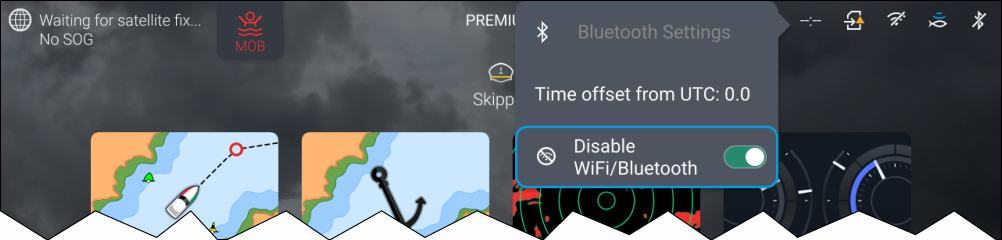
Status area icons
When the Disable WiFi/Bluetooth is enabled the Bluetooth disabled and the Wi-Fi disabled icon will be shown in the Status area.
If password protection is active a password will be required to enable the Bluetooth and Wi-Fi connections.