Generators page
When the display detects generators which transmit supported NMEA 2000 PGNs, a pre-configured generator page will be available in the Dashboard app.
Typically, a generator is connected to the display’s SeaTalk NG / NMEA 2000 network, via the generator manufacturer’s NMEA 2000 interface / gateway. If a gateway is used, ensure that it’s running an appropriate software version — refer to the generator manufacturer.
The generator page displays data for the first 2 detected generators. For the display of data for more than 2 generators, a Digital Control System (digital switching) solution is recommended.
For information on compatible interfaces, refer to your generator’s manufacturer.
Details of detected generators are available in the Generator configuration page. For details, refer to: Generator configuration
The example provided below shows data provided by a Fischer Panda generator, connected to the display’s SeaTalk NG / NMEA 2000 network via a Fischer Panda Communication Interface FP-CAN to NMEA 2000, (Part number: 0031409), running gateway software version 2v11 or later.
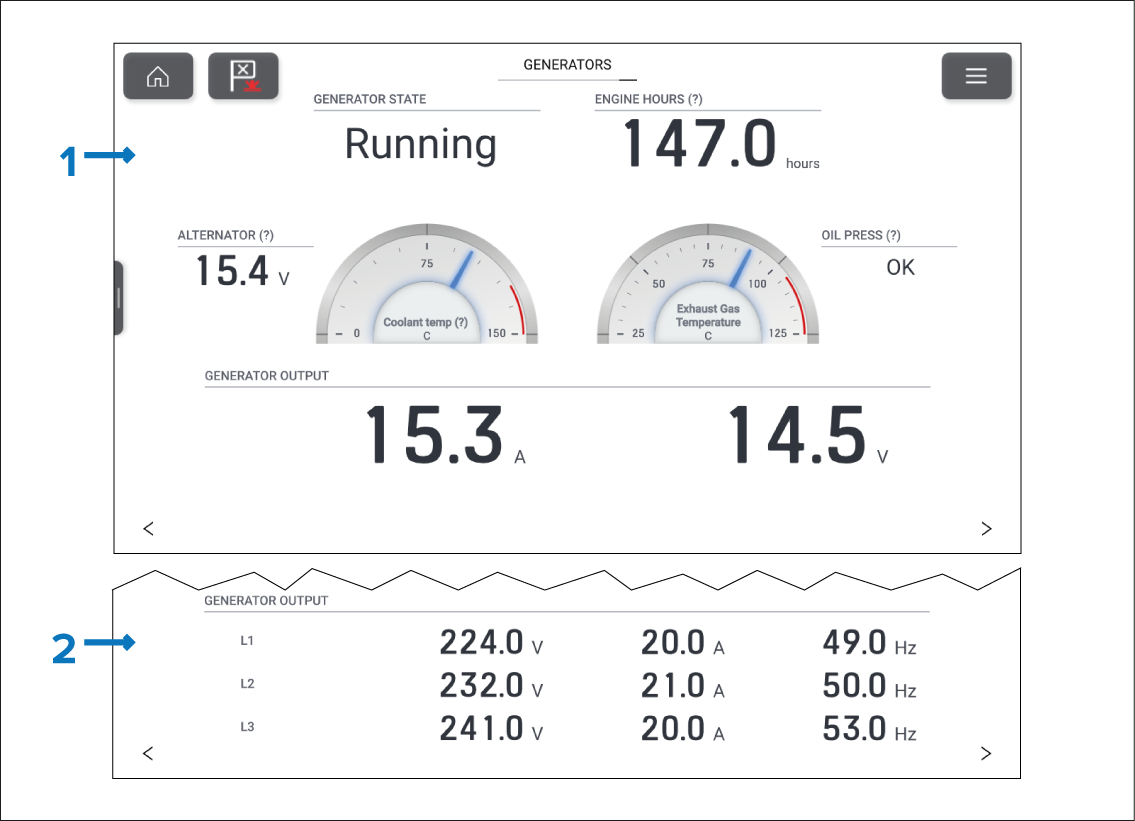
Figure 1. Example page for single generator
Example generator page for DC generator.
Example generator output data for a 3-phase AC generator.
The pre-configured generator page contains the following data items:
Generator state (PGN 127514)
Engine hours (PGN 127489)
Alternator voltage (PGN 127489)
Coolant temperature (PGN 127489)
Exhaust gas temperature (PGN 130316)
Oil pressure state (PGN 127489)
DC generators also include the following data items:
Output voltage (PGN 127747
Output current (PGN 127744)
AC generators include the following data items for up to 3 phases:
Output voltage (PGN 127747, PGN 127748, PGN 127749)
Output current (PGN 127744, PGN 127745, PGN 127746)
Output frequency (PGN 127747, PGN 127748, PGN 127749)
When more than one generator is detected, the generators page will show the data for the first 2 detected generators.
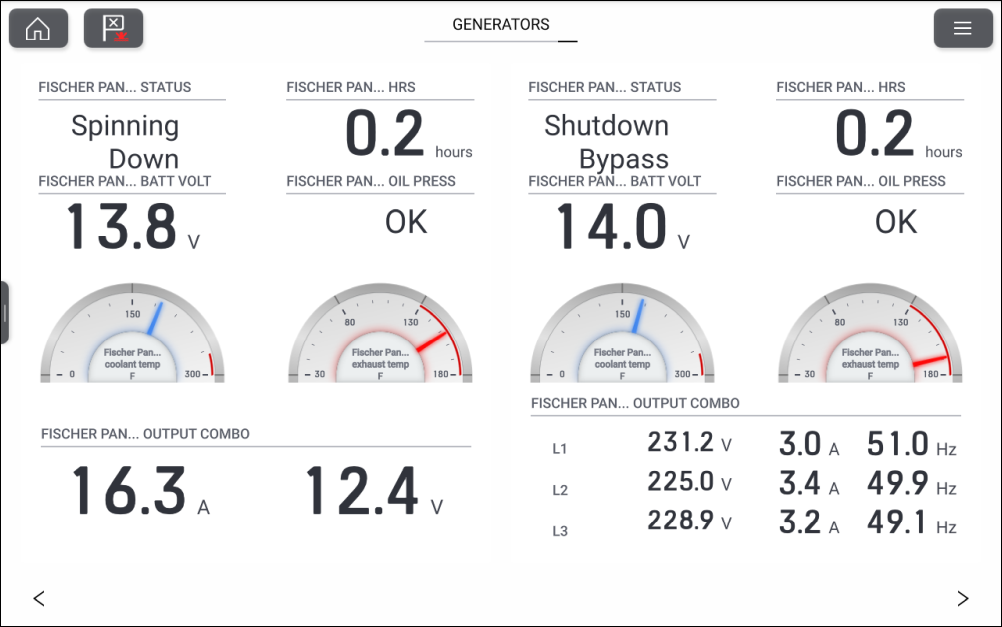
Figure 2. Example multiple generators
Generator data items can also be added to app data overlays, custom dashboard pages, and the sidebar. For a list of data items, refer to the Generator section of the data items list: Generator data