RealVision AHRS calibration
RealVision™ 3D and RealVision™ 3D Max transducers include a built-in AHRS (Attitude and Heading Reference Sensor), which measures the motion of your vessel to assist in the rendering of sonar images. After installation all RealVision™ transducers require calibration.
CalibrationRealVision™
An uncalibrated transducer can produce an offset to the front edge of the render of the bottom in the sonar image, as illustrated below.
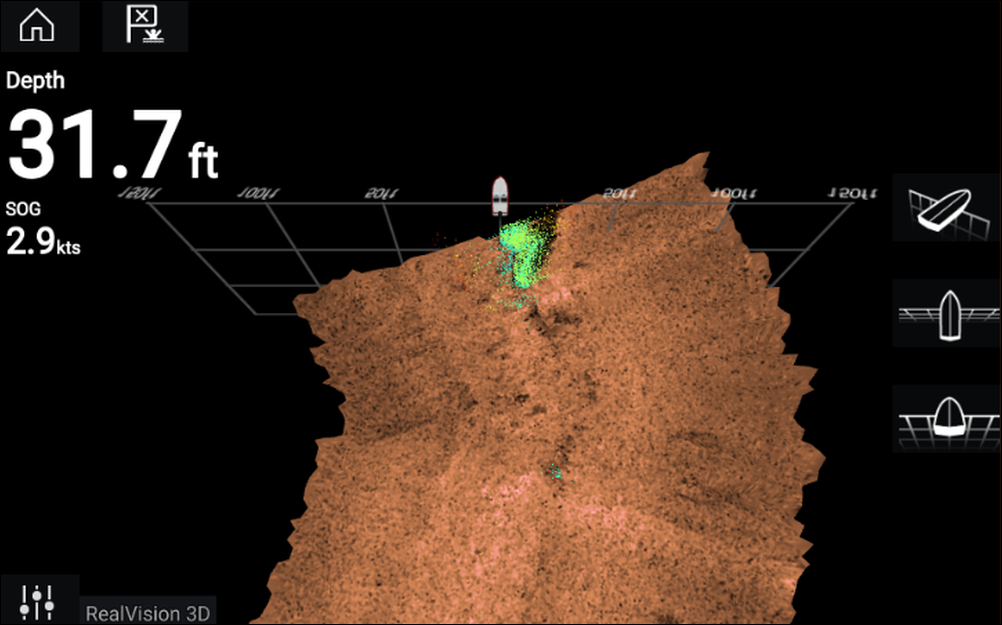 |
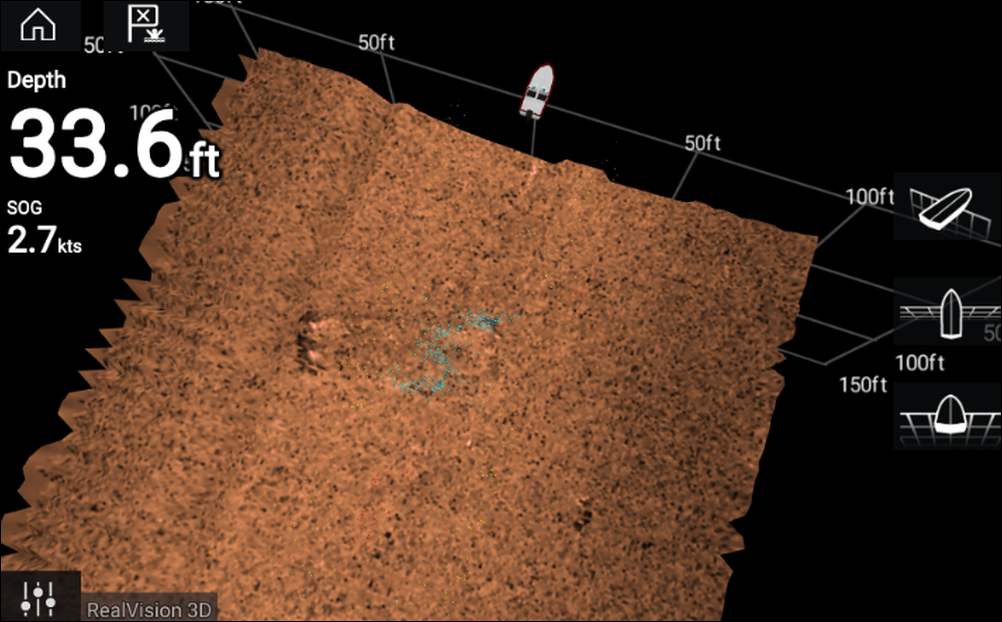 |
Uncalibrated |
Calibrated |
Calibration is an automatic process and starts after your vessel has turned approximately 100° at a speed of between 3 –15 knots. Calibration requires no user input, however at least a 270° turn is required before the calibration process can determine the local deviation and apply a relevant offset.
The time it takes to complete the calibration process will vary according to the characteristics of the vessel, the installation environment of the transducer, and the levels of magnetic interference at the time of conducting the process. Sources of significant magnetic interference may increase the time required to complete the calibration process. Certain areas with substantial magnetic deviation may require extra circles or “figure of 8” manoeuvres to be performed. Examples of such sources of magnetic interference include:
Vessel engines
Vessel alternators
Marine pontoons
Metal-hulled vessels
Underwater cables
In some circumstances, it is beneficial to disable RealVision AHRS if local sources of magnetic interference are distorting the sonar image. RealVision AHRS can be disabled from Settings.
The Calibration process will require repeating after a Sonar reset or Factory reset.