Hiding original SAR pattern
When a SAR pattern is broadcast it is duplicated and duplicate is pattern that is broadcast. To avoid any confusion you can hide the original SAR pattern.
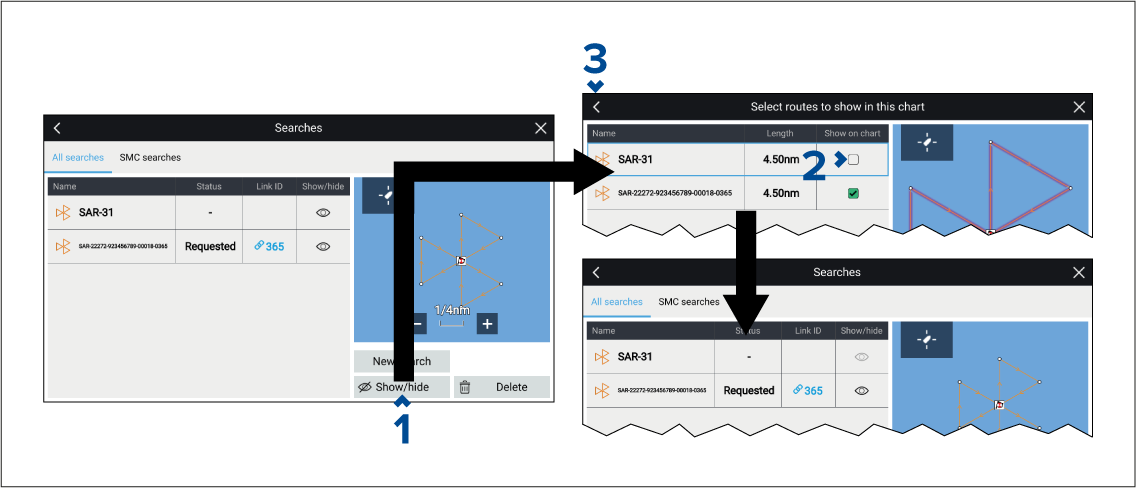
From the All searches list:
When a SAR pattern is broadcast it is duplicated and duplicate is pattern that is broadcast. To avoid any confusion you can hide the original SAR pattern.
From the All searches list: