CHIRP and traditional sonar display settings
The CHIRP and traditional sonar channels include the following Sonar display options:
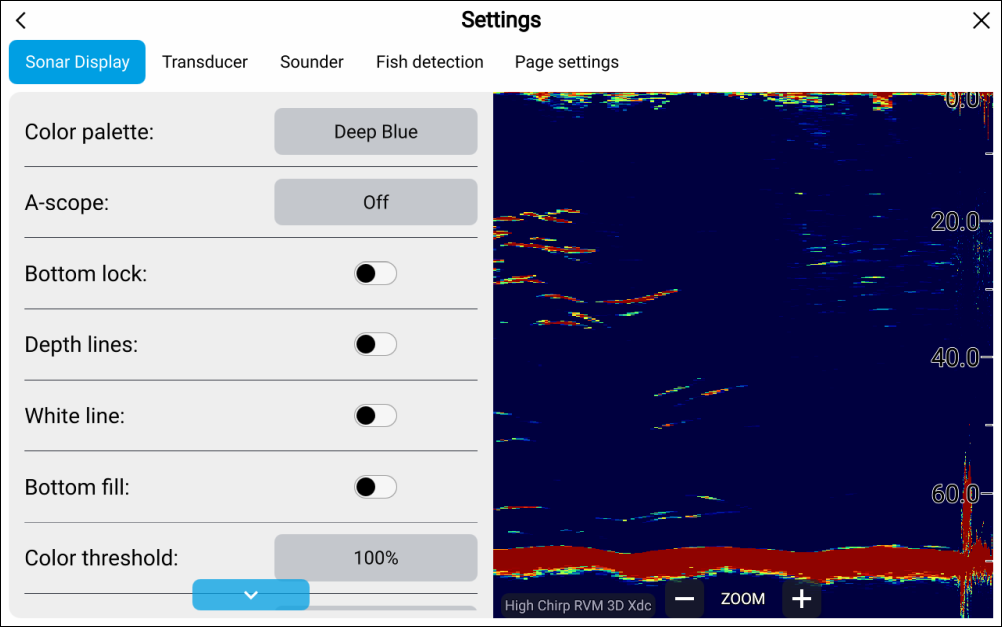
Fishfinder target colorsTarget colors: — Select the color palette that you want detected targets to use. The following color palettes are available:
Deep Blue (RVM transducers only)
Classic Blue
Classic black
Classic White
Sunburst
Grayscale
Copper
Night vision
Fishfinder A-scopeA-scope: — select to choose an A scope mode. A-Scope mode provides a splitscreen view that includes the normal scrolling sonar image and a smaller pane which shows a ‘live’ image of what is directly below your transducer. A scope can be set to Center, Right or Cone.
Fishfinder Bottom lockBottom lock: — select to enable or disable bottom lock. When enabled Bottom Lock flips the range indication readings so that zero is shown as the bottom, this flattens the image of the bottom and makes any objects on or just above it easier to see. This feature is particularly useful for finding fish that feed close to the bottom.
NoteWhen bottom lock is enabled transducer offset values will be ignored.
Fishfinder Depth linesDepth lines: — select to enable and disable onscreen horizontal lines to represent water depth.
Fishfinder White lineWhite line: — select to enable and disable a solid white line across the detected bottom.
Fishfinder Bottom fillBottom fill: — select to enable and disable solid color fill of the detected bottom and beneath.
Fishfinder Color thresholdColor threshold: — select to adjust the color threshold. Color threshold determines the signal strength below which target returns are not shown. A low value results in only the strongest colors or lightest shades being displayed.
Fishfinder Scroll speedScroll speed: — select to adjust the speed the scrolling image.