Selecting a Sonar channel
The first time you open a new Fishfinder app page you will be requested to select a channel, subsequently you can change the sonar channel by selecting a channel icon from the Fishfinder app menu.
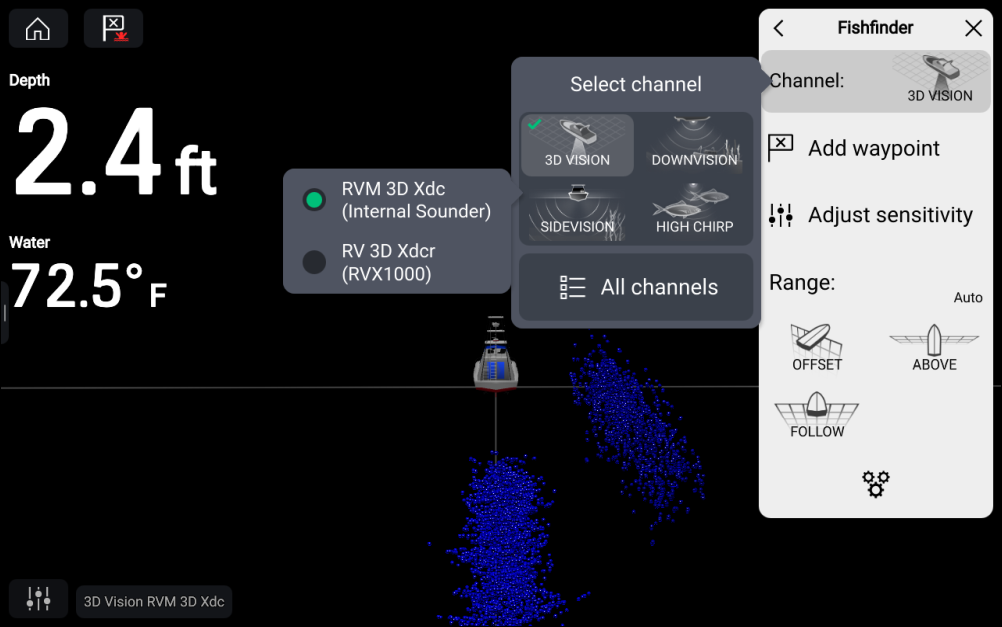
From the Fishfinder app menu:
- Select Channel:
- Select then icon for the sonar channel you want to display.
- Select the transducer you want to use for the selected sonar channel. Only applicable if you have more than one transducer capable of producing the selected sonar channel.
- Alternatively, select All channels from the Channel pop-over options and then choose your desired sonar module and channel.
The channel and transducer in use is identified in the bottom left corner of the screen.