Fishfinder app
The Fishfinder app uses a connected sonar module and transducer to help you to find fish by building up an underwater view of bottom structure and targets in the water column covered by your transducer.
Fishfinder appMFD appsFishfinder app
To use the Fishfinder app, a compatible sonar module and transducer is required.
For more information, refer to: Fishfinder app
Fishfinder app icons
The following icons can be used on the Homescreen for Fishfinder app pages:
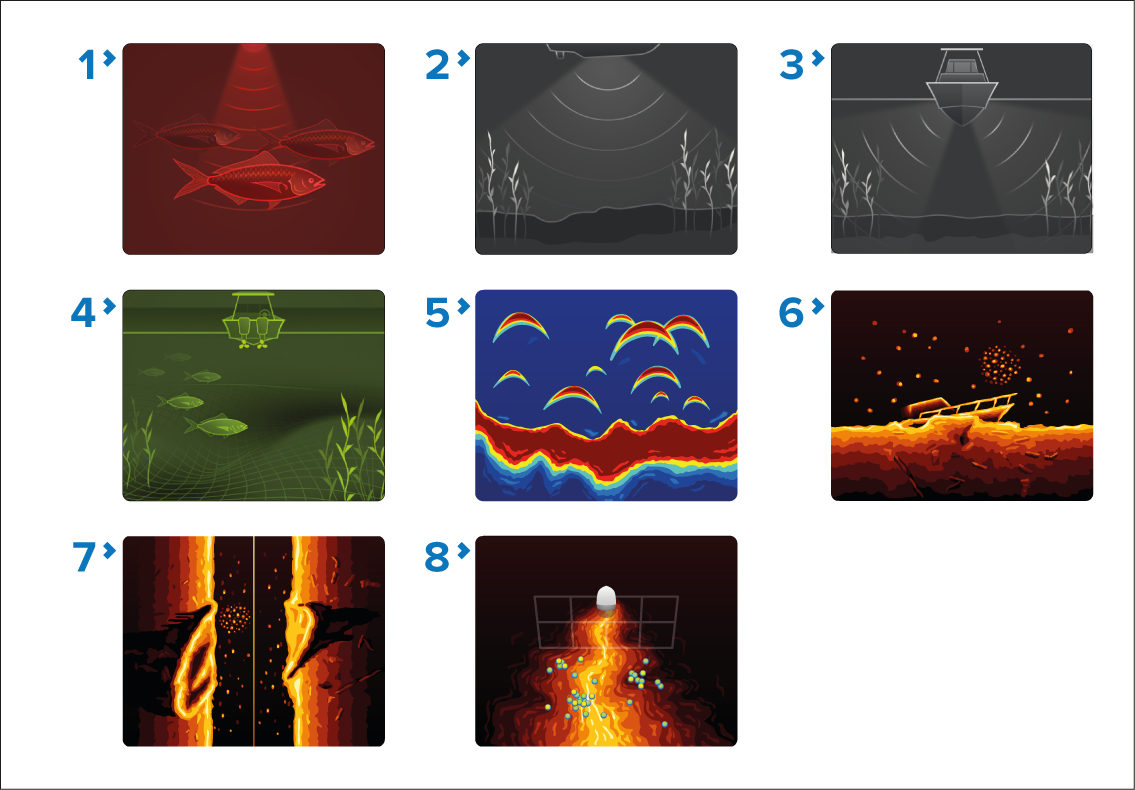
Conical channel classic icon — This is the icon used for fishfinder app pages when the Homescreen icons are set to the default Classic icons and the selected fishfinder channel has been set to a conical beam traditional or CHIRP sonar channel. The icon will look slightly differently depending on the chosen channel frequency. The icon will also change if Zoom mode is enabled.
DownVision channel classic icon — This is the icon used for fishfinder app pages when the Homescreen icons are set to the default Classic icons and the selected fishfinder channel has been set to DownVision. The icon will also change if Zoom mode is enabled.
SideVision channel classic icon — This is the icon used for fishfinder app pages when the Homescreen icons are set to the default Classic icons and the selected fishfinder channel has been set to SideVision.
3D Vision channel classic icon — This is the icon used for fishfinder app pages when the Homescreen icons are set to the default Classic icons and the selected fishfinder channel has been set to 3D Vision.
Conical channel mode icon — This is the icon used for fishfinder app pages when the Homescreen icons are set to the default Mode icons and the selected fishfinder channel has been set to a conical beam traditional or CHIRP sonar channel. The icon will look slightly differently depending on the chosen channel frequency. The icon will also change if Zoom mode is enabled.
DownVision channel mode icon — This is the icon used for fishfinder app pages when the Homescreen icons are set to the default Mode icons and the selected fishfinder channel has been set to DownVision. The icon will also change if Zoom mode is enabled.
SideVision mode icon — This is the icon used for fishfinder app pages when the Homescreen icons are set to the default Mode icons and the selected fishfinder channel has been set to SideVision.
3D Vision channel mode icon — This is the icon used for fishfinder app pages when the Homescreen icons are set to the default Mode icons and the selected fishfinder channel has been set to 3D Vision.