Saving YachtSense Link logs
Logs held on the YachtSense Link router can be saved to memory card on a display running LightHouse v4.1.140 or later.
Note
Savings crash logs using the Save crash logs from all products option available from the Diagnostic button will include YachtSense Link router logs. The below steps will only save the router’s logs.
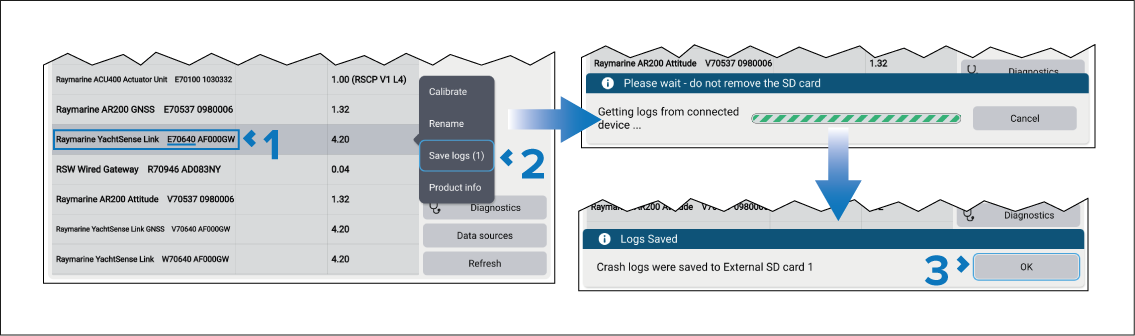
The logs will be saved to a ‘logs’ folder that will be created on your memory card. The logs will be compressed as a ‘.zip’ file ready to be sent to Raymarine.