Dashboard and Engine apps

The Dashboard app and Engine apps enable you to view data transmitted by compatible sensors and engines or engine gateways.

Dashboard appMFD appsDashboard appThe Dashboard app is always available and can be used to view data transmitted by compatible sensors and engines or engine gateways. The Dashboard app is also used for controlling, configured, compatible, third-party Digital Switching hardware. For more information about the Dashboard app, refer to: Dashboard app
The following engine-specific apps are available:

  • Mercury app. For more information about the Mercury app, refer to: Mercury app

  • Yamaha app. For more information about the Yamaha app, refer to: Yamaha app

  • Yamaha HDMI app. For more information about the Yamaha HDMI app, refer to: Yamaha app

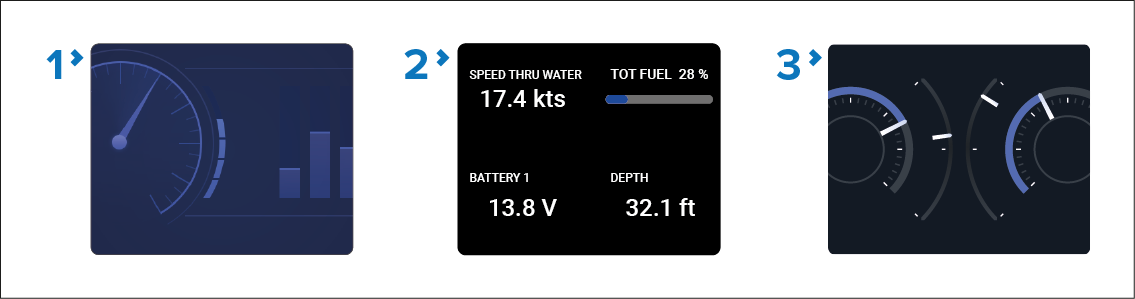
Figure 1. Dashboard app page icons

  1. Classic Dashboard icon — This is the icon used for all Dashboard app pages when the Homescreen icons are set to the default Classic icons.

  2. Dynamic tileDynamic tile — The Dynamic tile is available in both Homescreen icon modes and shows live data directly on the Homescreen. For more information about Dynamic tile, refer to: Dynamic tile.

  3. Dashboard mode icon — This is the icon used for all Dashboard app pages when the Homescreen icons are set to Mode icons.

Figure 2. Engine app page icons

  1. Mercury appMercury appMFD appsMercury appMercury app icon — This icon is used in both classic icon and mode icon Homescreen modes. The Mercury app is only available when Mercury has been selected as the engine manufacturer from the Boat details settings menu. The app requires a compatible Mercury SmartCraft system.

  2. Yamaha appMFD appsYamaha appClassic Yamaha app icon — This is the icon used for all Yamaha app pages when the Homescreen icons are set to the default Classic icons. The Yamaha app is only available when Yamaha has been selected as the engine manufacturer from the Boat details settings menu. The app requires a compatible Yamaha gateway.

  3. Yamaha HDMI appMFD appsYamaha HDMI appClassic Yamaha HDMI — This is the icon used for all Yamaha HDMI app pages when the Homescreen icons are set to the default Classic icons. The Yamaha HDMI app is only available when Yamaha HDMI has been selected as the engine manufacturer from the Boat details settings menu. The app requires a compatible Yamaha HDMI interface.

  4. Yamaha mode icon — This is the icon used for both the Yamaha or Yamaha HDMI app pages when the Homescreen icons are set to Mode icons. The app is only available when Yamaha or Yamaha HDMI has been selected as the engine manufacturer from the Boat details settings menu. The app requires a compatible Yamaha gateway or Yamaha HDMI interface.

  5. Suzuki appMFD appsSuzuki appClassic Suzuki app icon — This is the icon used for all Suzuki app pages when the Homescreen icons are set to the default Classic icons. The Suzuki app is only available when Suzuki has been selected as the engine manufacturer from the Boat details settings menu. The app requires a compatible Suzuki gateway.

  6. Suzuki mode icon — This is the icon used for Suzuki app pages when the Homescreen icons are set to Mode icons. The app is only available when Suzuki has been selected as the engine manufacturer from the Boat details settings menu. The app requires a compatible Suzuki gateway.