Enabling and disabling the router as an Internet source
You can enable and disable the YachtSense Link router as the source for the display’s internet connection. This can be useful in situations where you have an alternative source of internet access that you wish to use.
YachtSense LinkInternet connectionInternet sourceFrom the display’s Network settings:
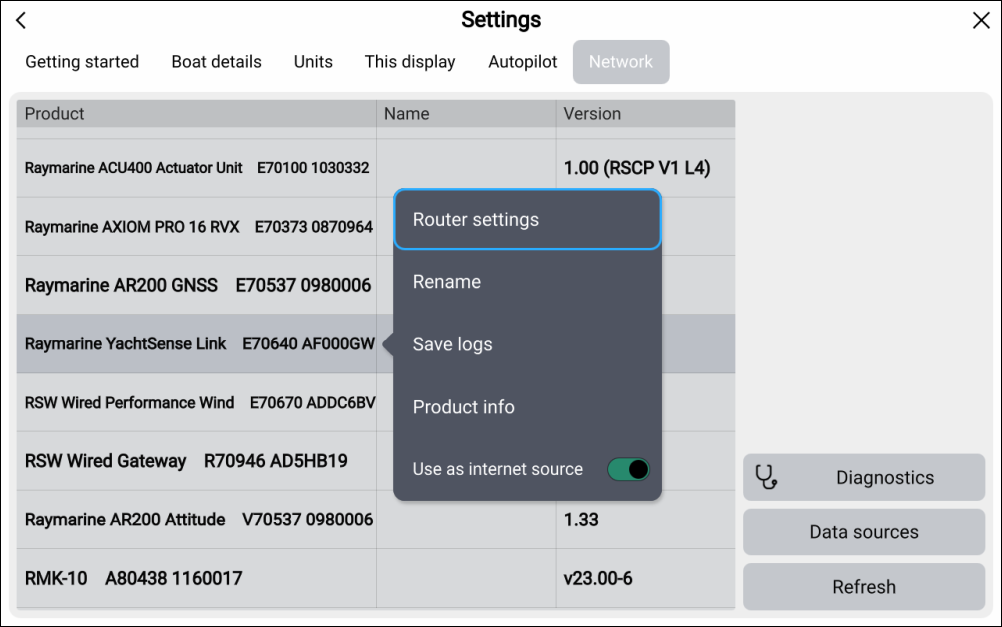
- Select the YachtSense Link router from the list of devices.
- Select the Use as internet source toggle switch to enable/disable the router as the display’s Internet source.
When enabled, the router’s internet connection(s) will take priority over the display’s Wi-Fi connection.