Pilot sidebar — Standby
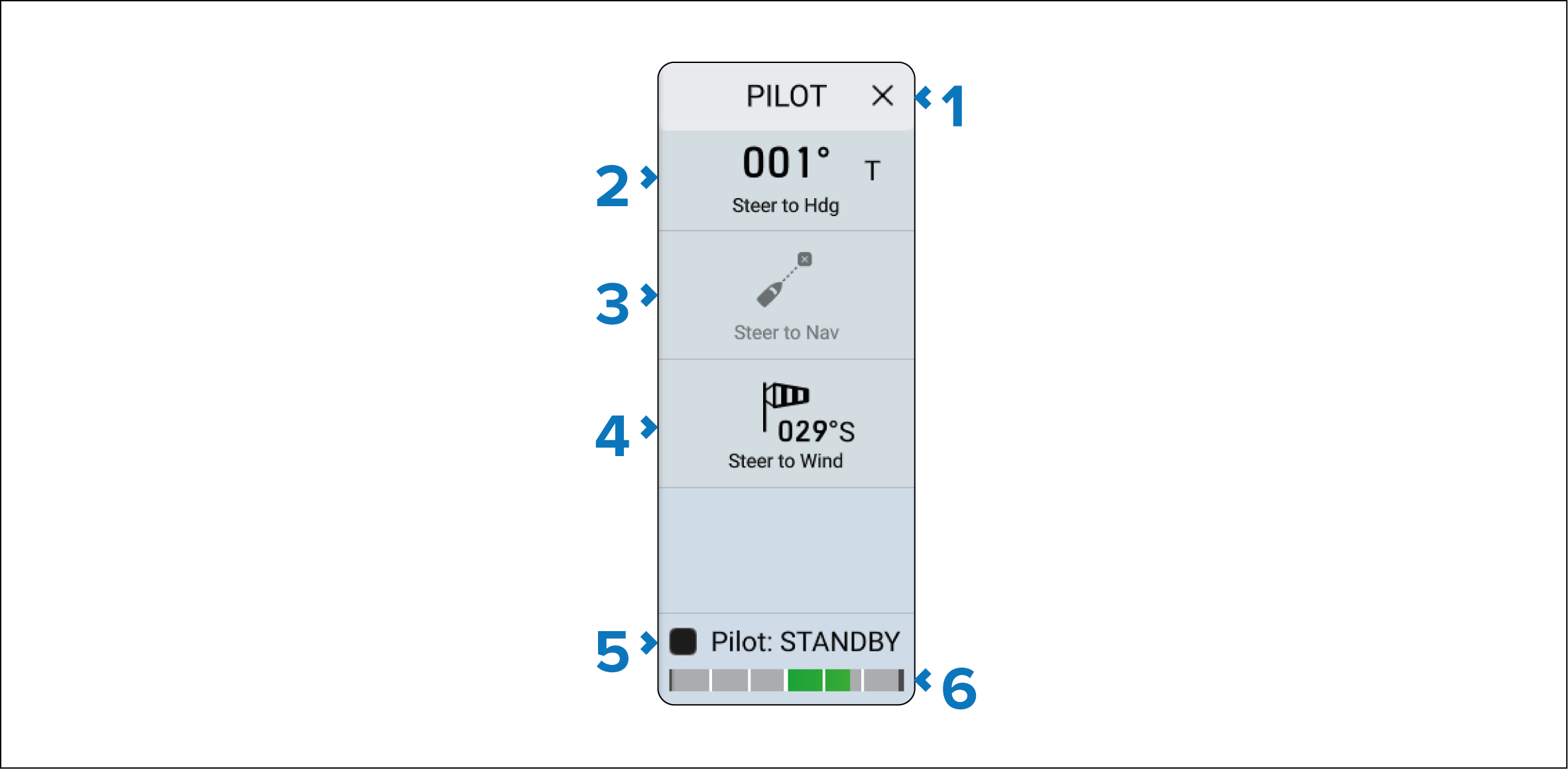
When the autopilot is in Standby the Pilot sidebar will provide options to engage the autopilot.
Description |
|
|---|---|
1 |
X (Close) — Closes the Pilot sidebar. |
2 |
Steer to Hdg Steer to Hdg — Enables you to engage the autopilot in Locked heading (Auto) mode. |
3 |
Steer to NavSteer to Nav — Enables you to engage the autopilot in Navigation (Track) mode. Note Steer to Nav mode will only be enabled when there is Active navigation. |
4 |
Steer to WindSteer to Wind — Enables you to engage the autopilot in Steer to Wind (Wind vane) mode. Note Steer to Wind mode will only be available if Sailing was selected as the display’s Boating activity during the initial start up wizard. |
5 |
Pilot statusAutopilotStatus — Provides the status of the autopilot. |
6 |
Rudder barRudder bar — Provides visual indication of rudder position. |