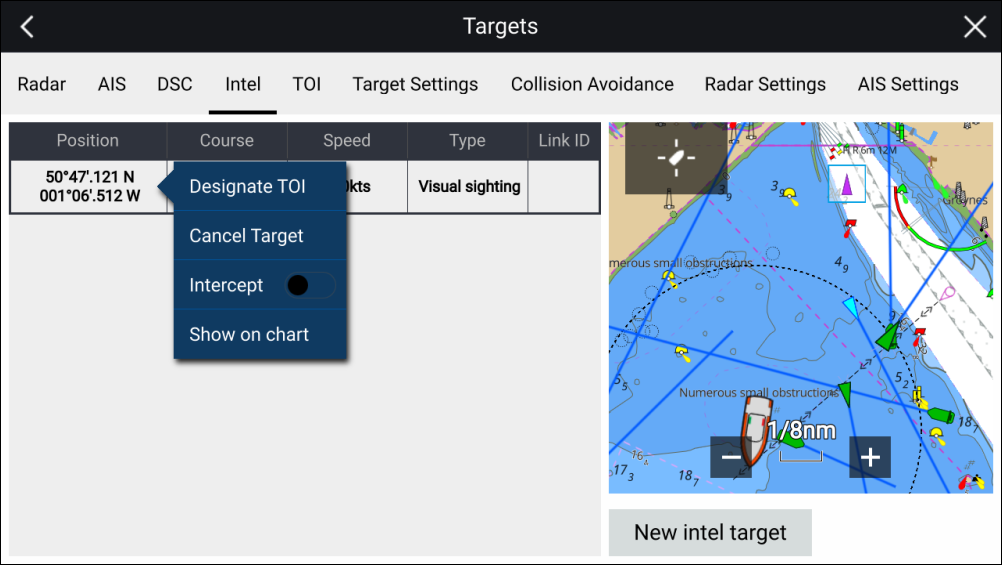
Intel target list
The target list identifies the target position, course, speed and the type of intel the target is based on (i.e.: Visual or Reported.). If the target has been designated as a TOI then the related Link ID will also be displayed.
IntelTarget listThe Intel targets list can be accessed from the Targets menu in the Radar app and Chart app: .
Selecting a target from the list highlights the selected target in the LiveView app pane on the right of the page and opens the Pop-over menu.