Creating CZone digital switching pages automatically
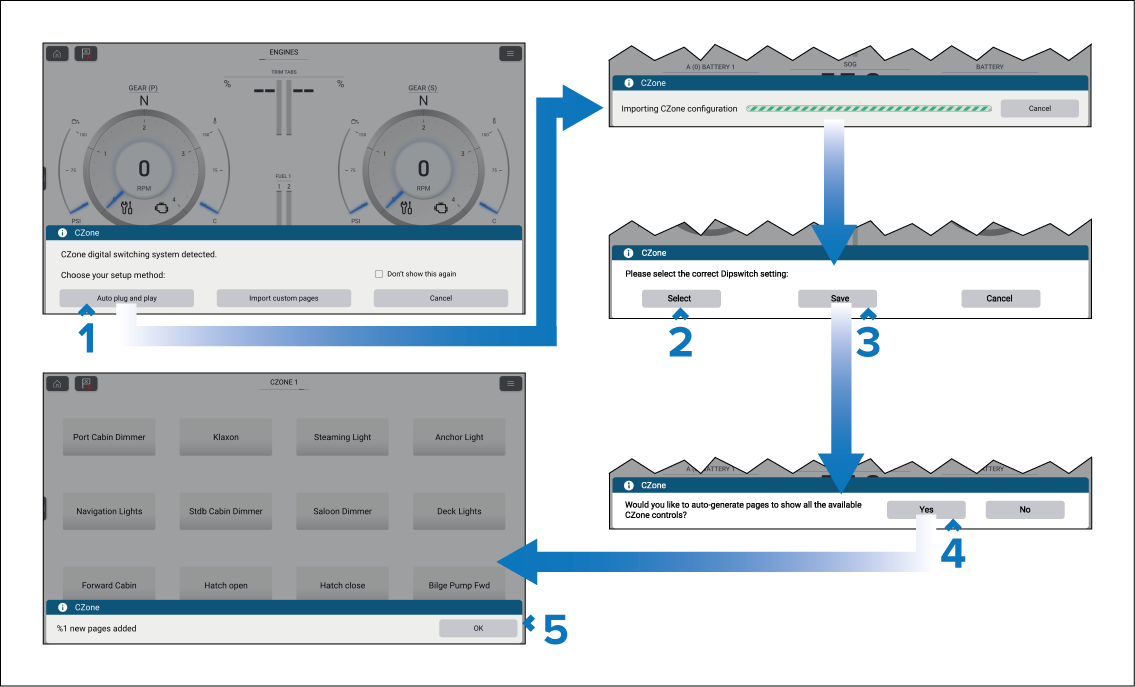
When the Dashboard app detects CZone hardware and the system does not have an existing digital switching configuration installed, the CZone plug and play wizard is started.
Dashboard app CZone plug and playCZone plug and play
Note
The CZone plug and play wizard can be initiated at any time from the Pages settings menu by selecting Add page and then CZONE from the pop-over menu.
Note
If you already have a CZone pages configured using the Raymarine graphics tool selecting Import custom pages will allow you to browse an inserted memory card for your custom pages file and import into the Dashboard app.