Inserting a MicroSD card — Axiom 2 Pro chartplotters
Inserting a MicroSD card — Axiom 2 Pro chartplotters
MicroSDInserting
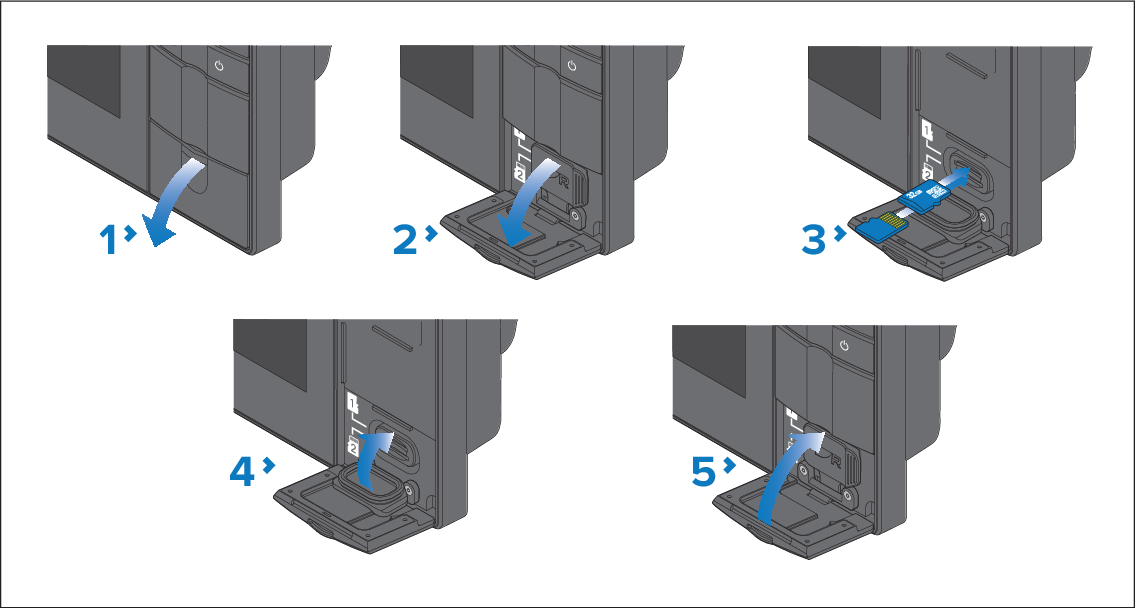
Open the card reader door.
Pull down the card slot cover.
Insert the card(s) into a card slot and push until they
clicks into place.
Note
The upper card slot requires the memory cards contacts
to be pointing downwards. The lower card slot requires the memory
card contacts to be pointing upwards.
Close the card slot cover, ensuring it is seated correctly.