Guard zone alarms
Guard zones alert you if a Radar return is detected within the Guard zone area.
Guard zone alarms2 Guard zones can be configured for each connected Radar scanner.
The Guard zones can be configured from the Alarms menu: or
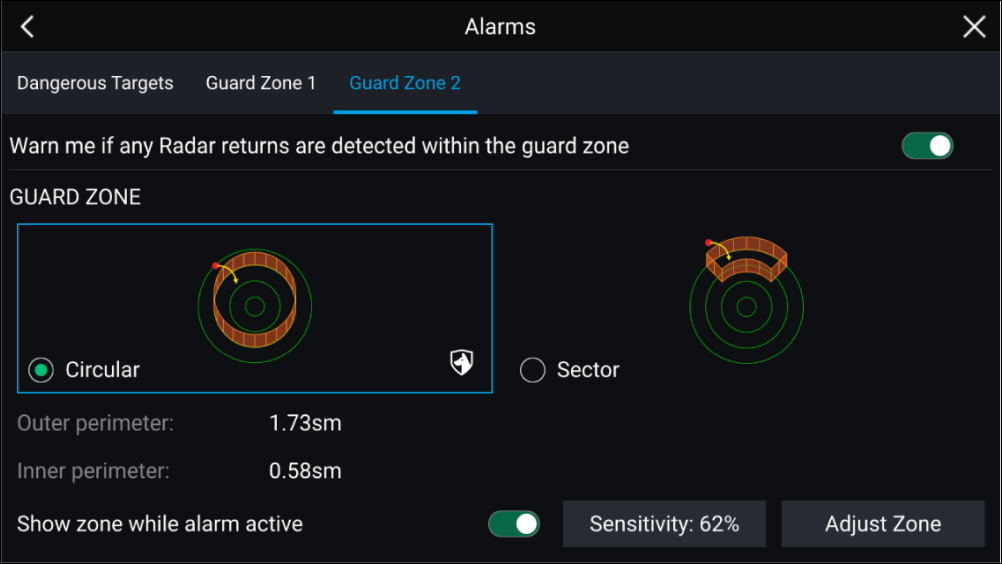
A Guard zone can be configured as a sector or as a circle around your vessel.
Selecting Adjust Zone allows you to configure the size of the Guard Zone.
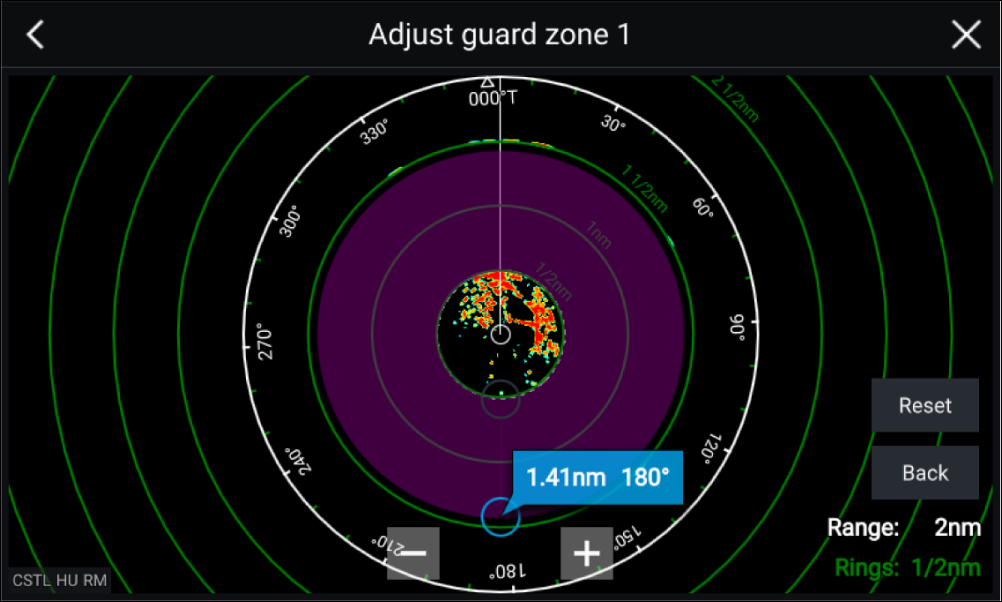
Adjust the guard zone’s size by dragging the inner and outer perimeter end points (circles) to the desired locations.
Once configure select Back.
If required, you can also adjust the Guard zone sensitivity. Sensitivity determines the size at which objects trigger the alarm.