De-activating command approved routes
The Command approved routes feature can be disabled.
From the Responder settings menu:
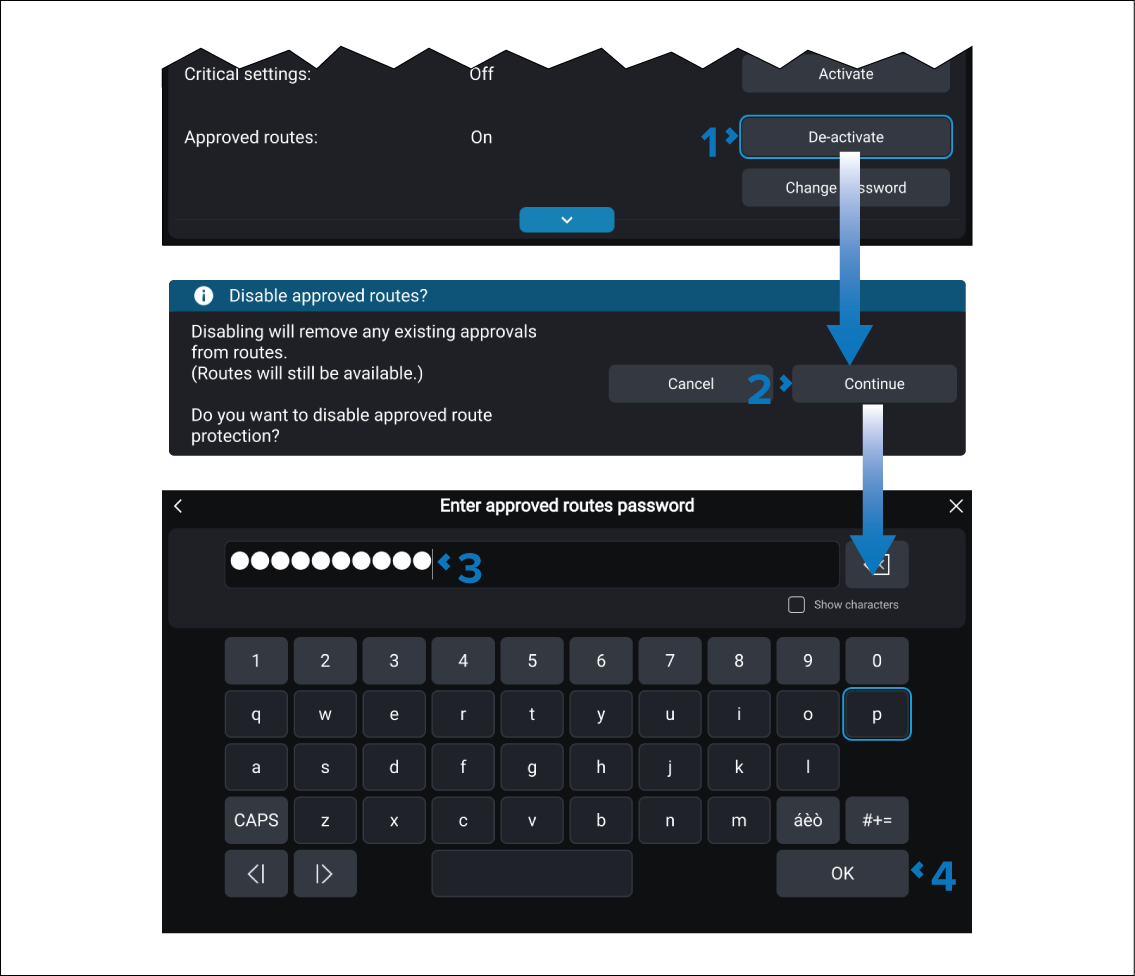
- Select the Approved routes De-activate button located in the Password protection section.
- Select the Continue button on the subsequent notification.
- Enter the Approved routes password.
- Select the OK button.
All currently approved routes will be unapproved and the ability to approve routes will no longer be available.