Restarting cross track error
When a cross track error (XTE) exists you can restart the track at your vessel’s current location.
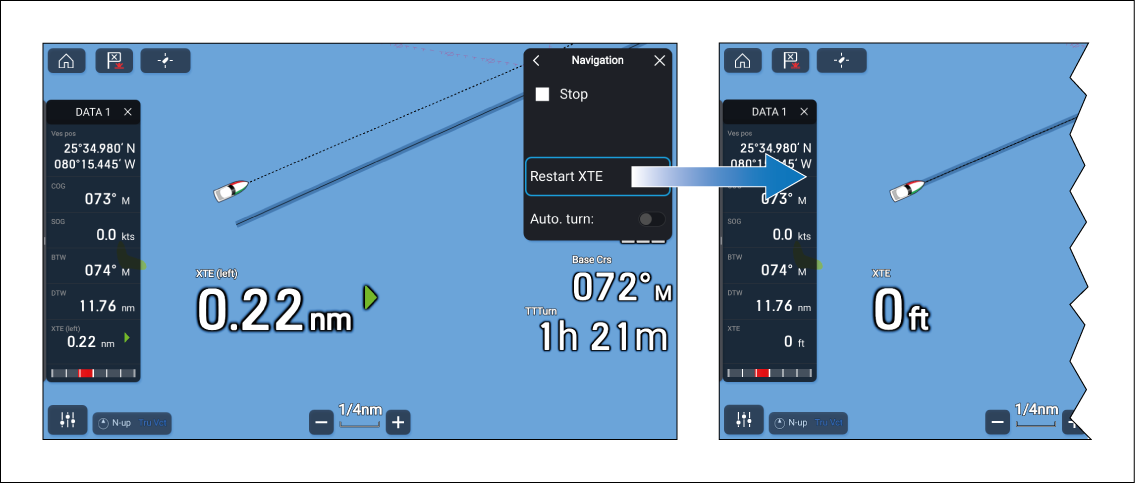
From the Chart app:
- Select the Menu icon.
- Select Navigation.
- Select Restart XTE.
The track will be restarted at your current position and the XTE value will be reset to zero.