Alpha chartplotter sidebar
Some Alpha display functions can be invoked remotely from the Alpha display sidebar on networked Axiom-Series and Axiom 2-Series chartplotters that are running LightHouse v4.5.84 or later.
Chartplotter operationSidebarFrom any chartplotter app, swipe from the left edge of the screen to open the Sidebar and select the Alpha display option. The following options are available:
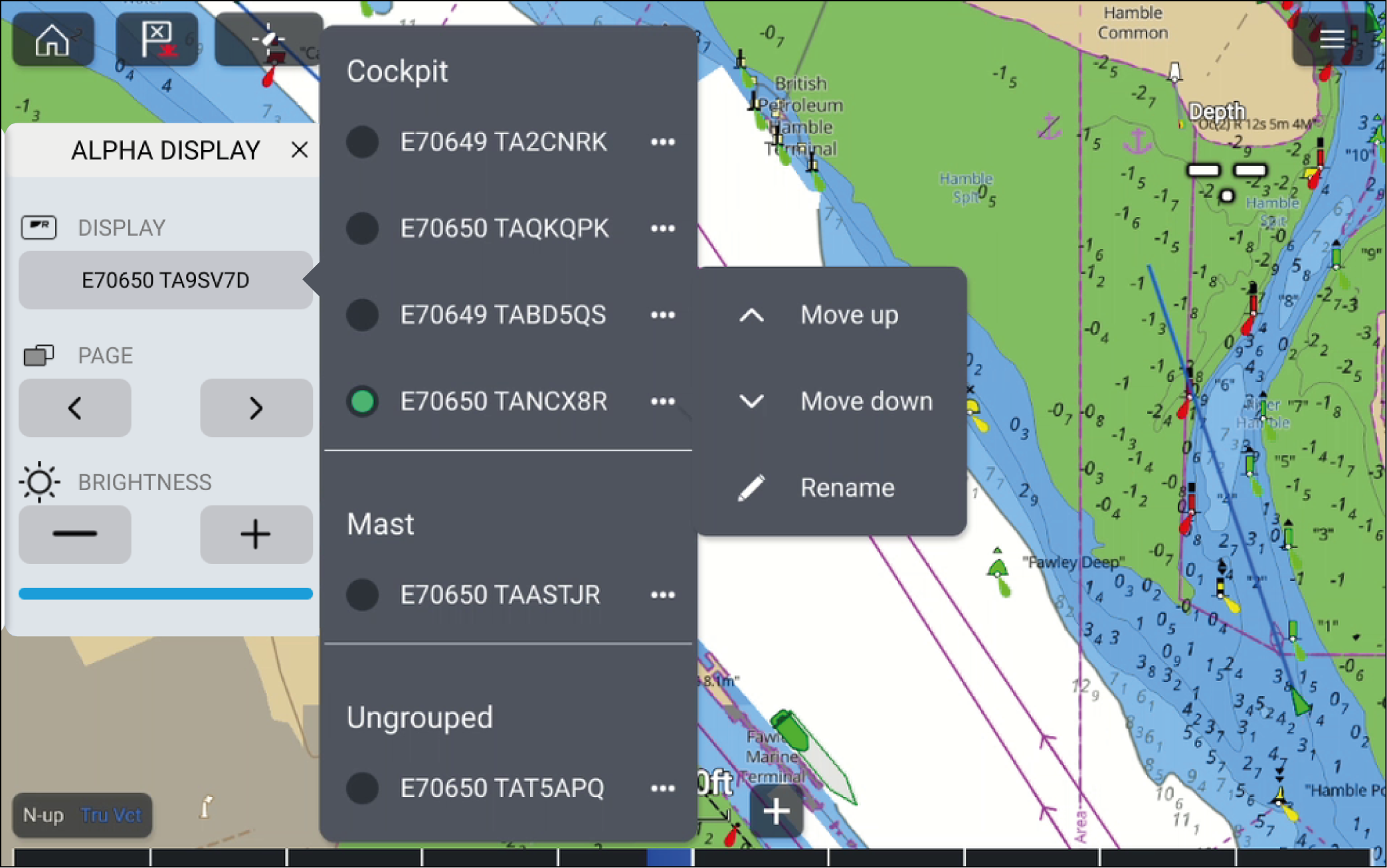
Display — If more than 1 Alpha display is connected the Display menu will be available. The Display menu will list the available Alpha displays that can be operated from the sidebar, and indicate which display is currently being operated. Selecting an Alpha from the list will switch control to that display. The list of Alpha displays is sorted according to the display group that it has been assigned to.
Selecting the ... icon will open the pop–over menu which includes the following options:
Move up — Moves the selected Alpha display up within the list by one position, if multiple Alpha displays are available. This option is disabled if your Alpha display has reached the top of the display group that it has been assigned to.
Move down — Moves the selected Alpha display down within the list by one position, if multiple Alpha displays are available. This option is disabled if your Alpha display has reached the bottom of the display group that it has been assigned to.
Rename — Displays an onscreen keyboard, which can be used to edit the selected Alpha display’s name.
Page — Switches the page that is currently displayed on the selected Alpha. Data pages can be cycled through either using the < left option or > right option.
Brightness — Increases or decreases the selected Alpha display’s screen brightness. Brightness can be changed using the + increase option or – decrease option. The current screen brightness is indicated by the Brightness bar below the + and – options.