SkyHook mode
SkyHook is a virtual digital anchor which uses GNSS (GPS) data to maintain a boat’s position. SkyHook engages the engines or drives in a number of directions and speeds to compensate for the effects of wind and current on the vessel.
Mercury SkyHookSkyHook sidebarThe SkyHook feature can be controlled from the SkyHook Mercury sidebar, which also allows you to switch between the SkyHook, BowHook and DriftHook features.
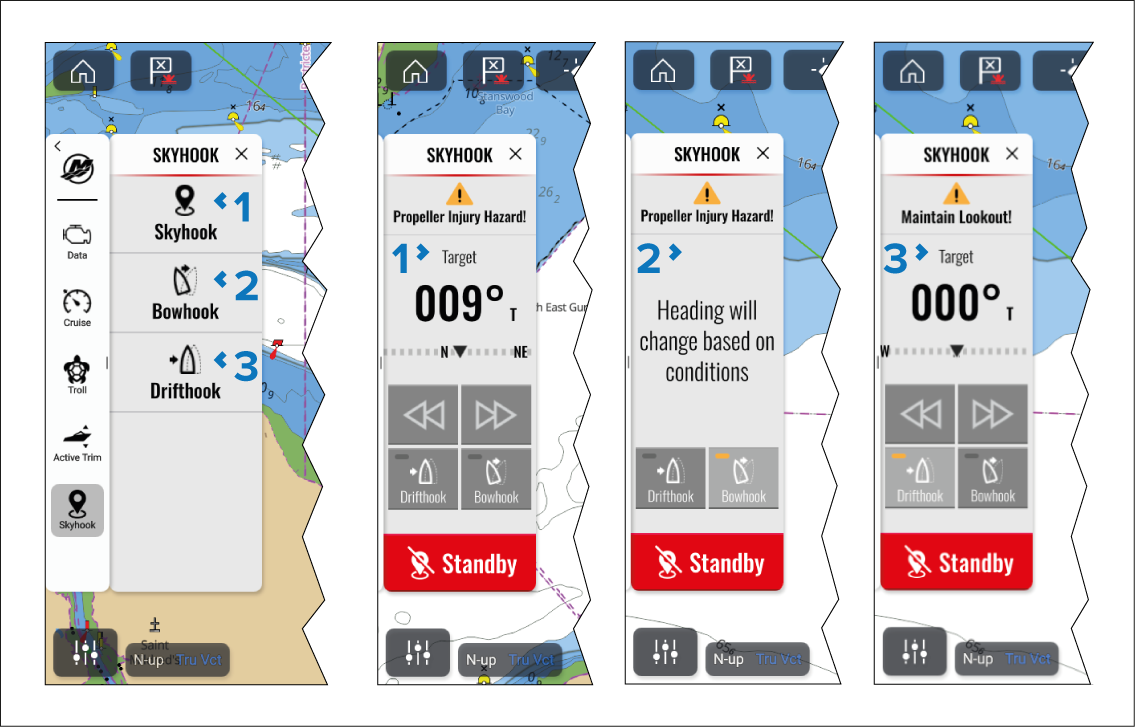
SkyHook sidebar.
BowHook sidebar.
DriftHook sidebar.
When SkyHook is selected, a warning is triggered alerting the operator to ensure that there are no swimmers in the vicinity of the vessel.
Before SkyHook is engaged you must inform passengers how the feature works, and that they must stay out of the water.
After SkyHook is engaged you must remain at the helm and maintain a vigilant watch, so that SkyHook can be quickly deactivated if someone goes in the water.
Once engaged, SkyHook remains active until it is disengaged
The SkyHook sidebar includes the following information and controls:
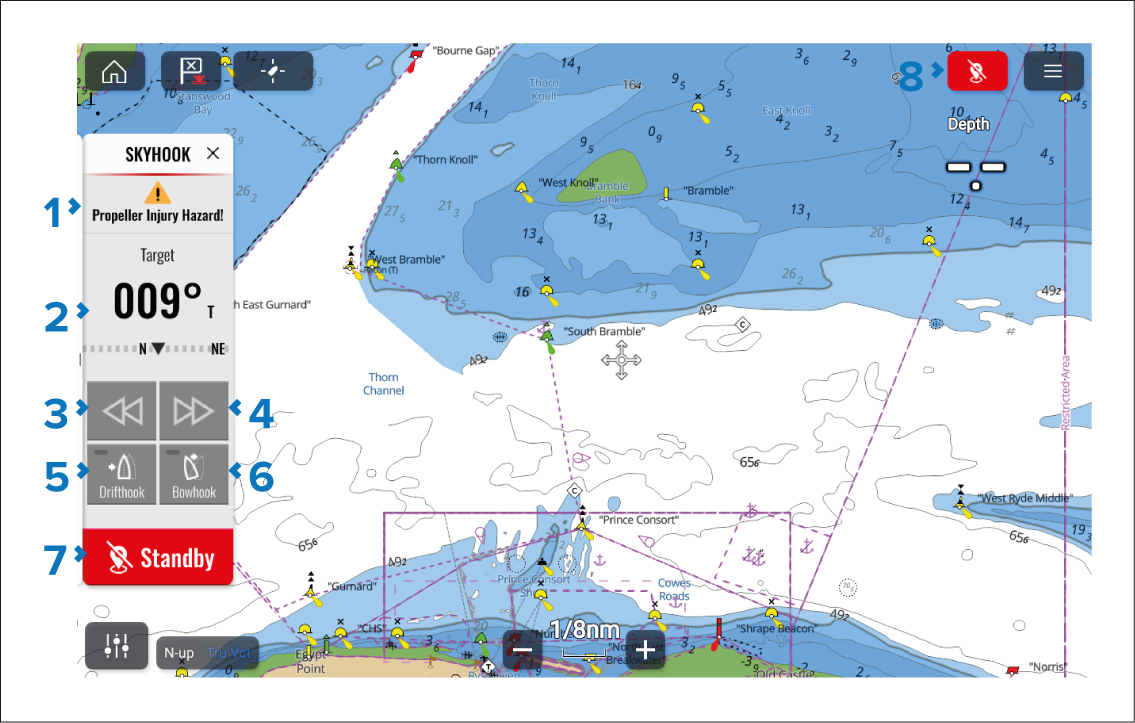
Figure 1. SkyHook mode
Whilst engaged, the status switches between “SkyHook active” and “Propeller injury hazard”.
The target heading is displayed.
Left arrow button — Selecting the Left arrow decreases the locked heading in 1° increments.
Right arrow button — Selecting the Right arrow increases the locked heading in 1° increments.
Drifthook button
— Selecting Drifthook engages DriftHook mode.Bowhook button
— Selecting Bowhook engages BowHook mode.Standby button
— Selecting Standby disengages Skyhook mode.Skyhook icon — Selecting the Standby icon located in the top right of the Chart app will also disengage SkyHook mode.