Context menu
The Context menu provides menu options relevant to the cursor location or selected object.
Context menuChart app Context menu
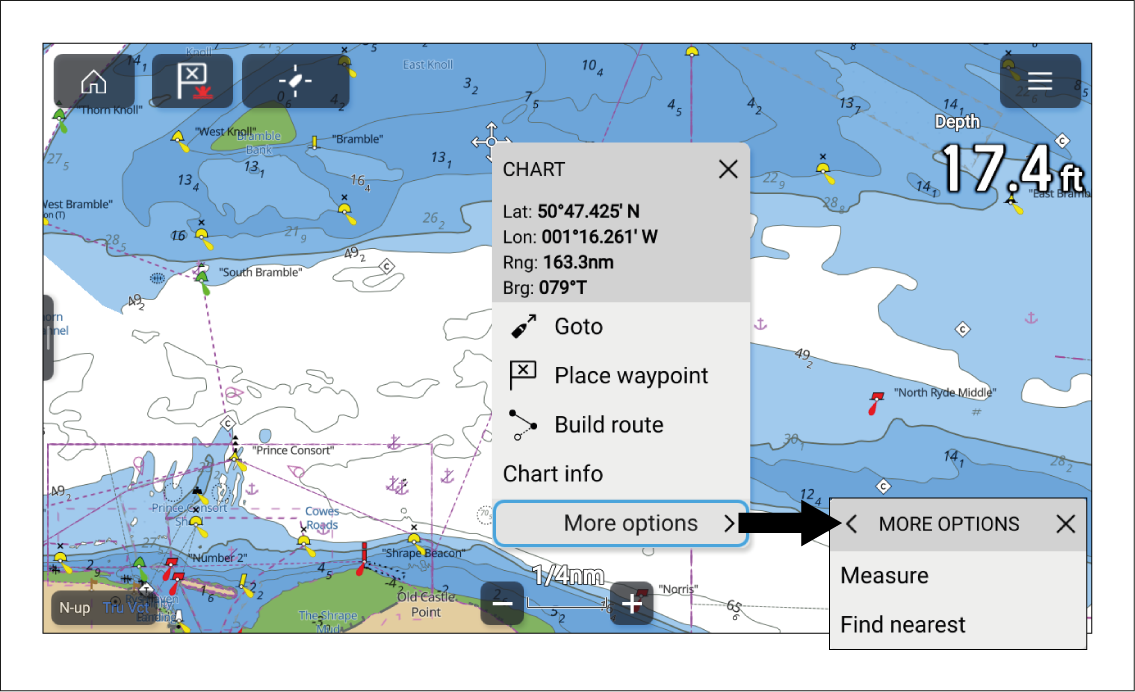
Opening the context menu:
Press and hold on a location or object.
Press on a location or object to open the Info box and select the “3 dots” menu icon.
Use physical controls — Use the direction controls to highlight the location or object and press the OK button.
The context menu provides latitude, longitude, range and bearing details for the selected location or object. Target context menus also provide TCPA and CPA details.
Selecting More options will show further options.