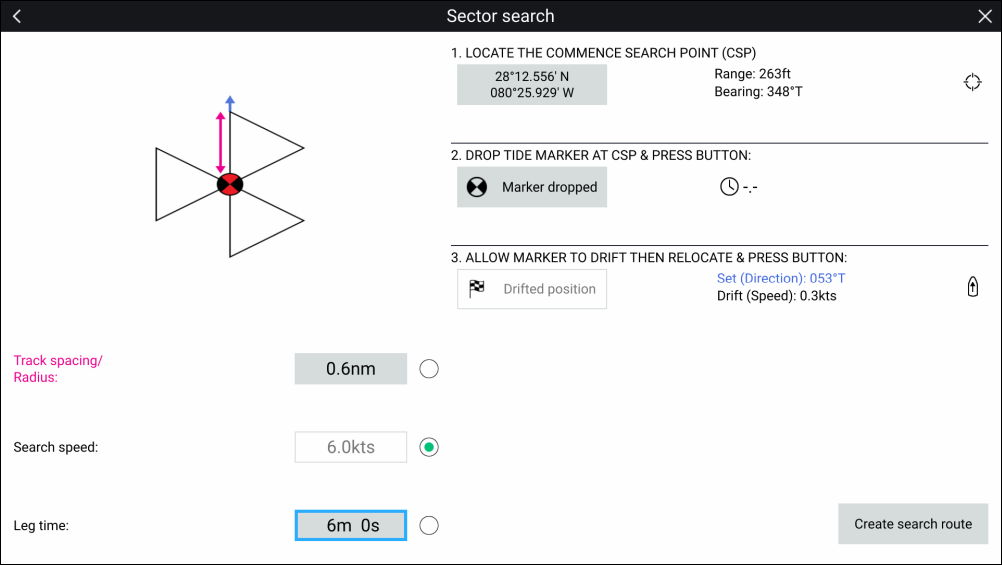
To create a sector search pattern follow the
steps below:
SARcreation CSP (Commence Search Point)
Open the Char app.
Select Sector from the Search
Pattern options: Menu > New > Search pattern
Set the location of the Commence Search Point (CSP) for
the search route by:
Manually by selecting the Commence Search Point
(CSP) field and inputting the coordinates for the CSP; the Range and Bearing of the CSP from your
vessel’s location is displayed.
By default and after a power cycle the coordinates shall be
set to your vessel’s current location, or if you have already created
a search pattern then the last used Commence Search Point (CSP) position
is displayed.
Alternatively, set the CSP at your
vessel’s current location by selecting the Location icon located to the right of the range and bearing details.
Establish set and drift by:
Drop your Tide marker in the water and select Marker dropped.
Wait for the Tide marker to drift through the water.
Relocate to the Tide marker at its new location and
select Drifted position the Set (Direction) and Drift (Speed) will be calculated and displayed.
Alternatively, you can use your vessel’s Heading and
SOG to define the set and drift by selecting the Set / Drift icon located to the right of the set and drift data.
Set the Track spacing/Radius, Search speed and Leg time:
The three variables are dependent on each other. One variable
is always the product of the other two
Select one of the variables by selecting the radio button
(circle) located to the right of the variable.
The selected variable will be disabled and will be calculated
automatically by setting the remaining 2 variables.
Select Create search route.
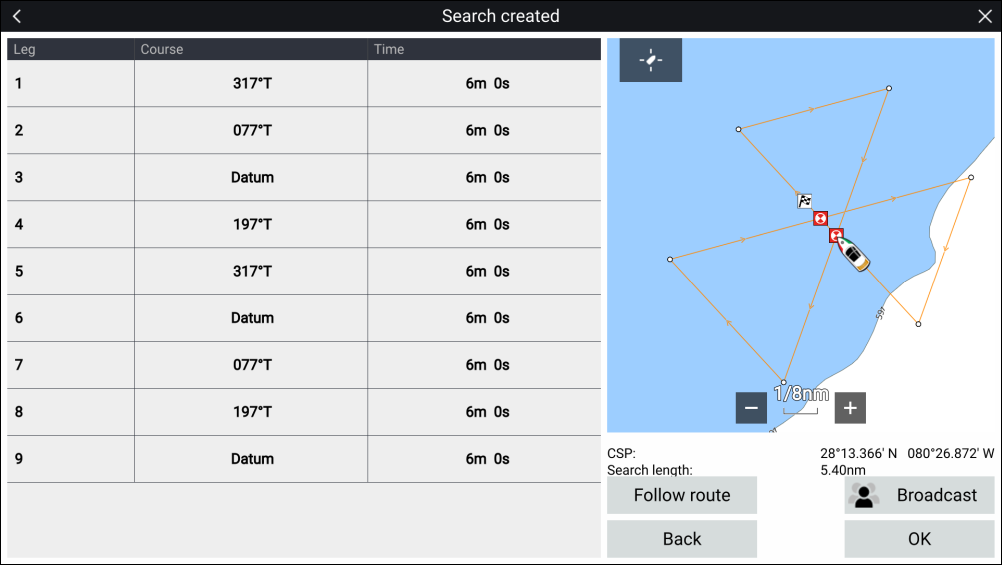
The Search created page is displayed shown the details
of the created search route.
The search route can be immediately
followed by selecting Follow route, or broadcast
over STEDs messaging by selecting Broadcast.