Target settings
Target vectors, target history and object trail graphics can be displayed onscreen to improve situational and collision awareness.
RadarTarget settings
Target settings can be accessed from the Target Settings tab: .
Reference mode
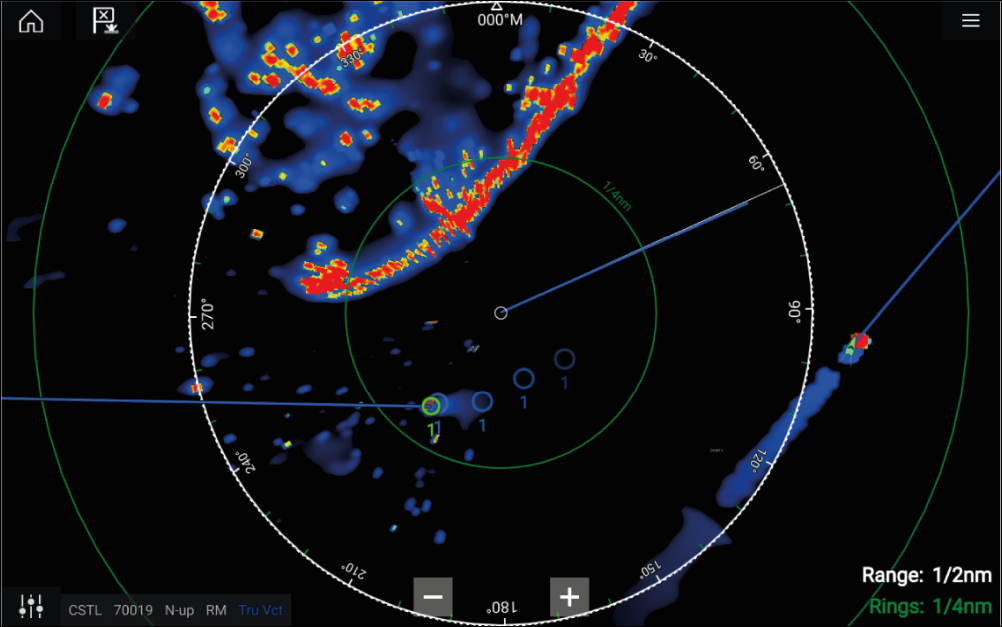
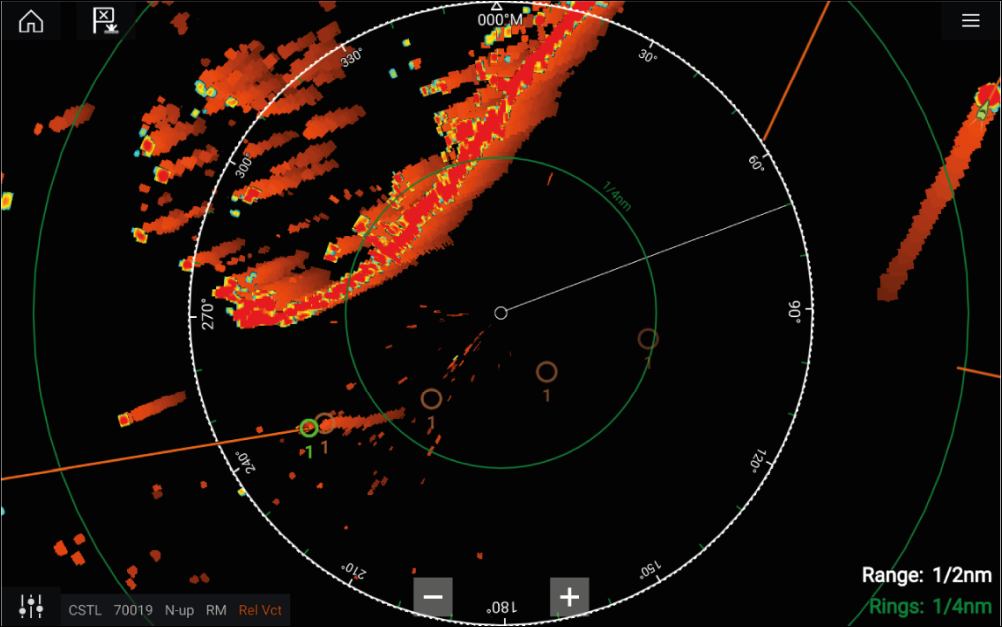
Radar targetReference modeRelative modeTrue modeTarget settings can be configured to either True or Relative mode. In True mode, Trails, Vectors and History are colored Blue and are shown ground referenced (i.e. the object or target’s actual Course Over Ground (COG)). In Relative mode, Trails, Vectors and History are colored Orange and are shown relative to your vessel’s movement.
To switch the target reference mode, select the REFERENCE MODE setting. Alternatively, you can switch reference mode by selecting the onscreen Image Adjustment icon and then selecting either True or Relative.
 |
 |
True mode |
Relative mode |
The Target Settings reference mode is independent of your vessel’s motion mode.
Target vectors
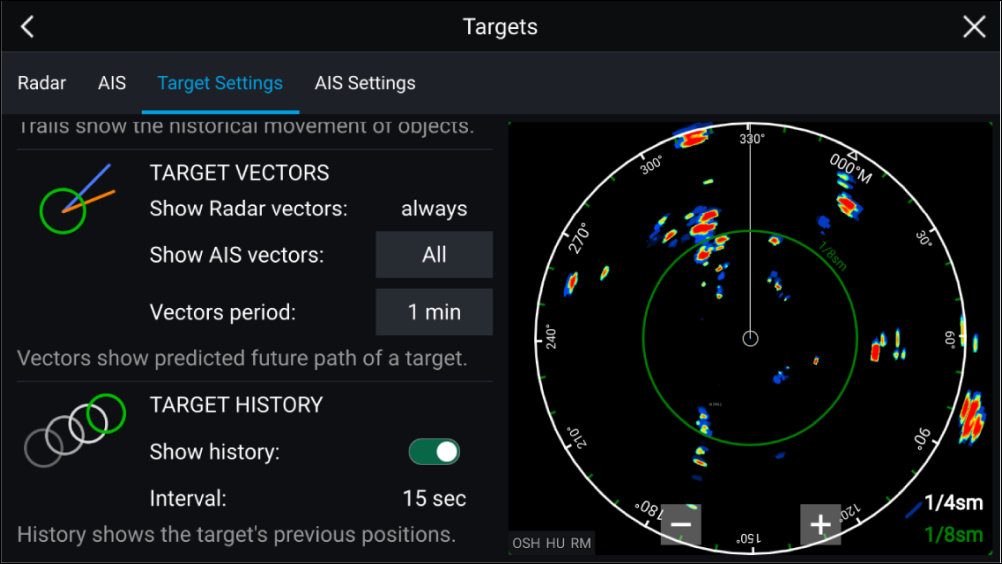
Radar targetVectorsTarget vectors show the predicted future course of a target.
Target vectors for acquired Radar targets are always shown. By default, target vectors are also shown for all AIS targets. You can switch the Show AIS vectors to Manual, enabling you to switch vectors for AIS targets On or Off for each target individually, via the target context menu.
The length of the Vector line signifies where the target will be after the time specified in Vector period has passed. The Vector period can be adjusted by selecting the current Vector period value and choosing a time from the Pop-over options.
Target history
Radar targetHistoryTarget history shows a target’s previous positions.
Target history can be enabled or disabled using the Show history toggle switch.
Target history is plotted by displaying a target symbol at the vessel’s position each time the value specified in the Interval setting has passed. The Interval is automatically calculated based on the target vector’s Vector period, divided by 4.
Trails
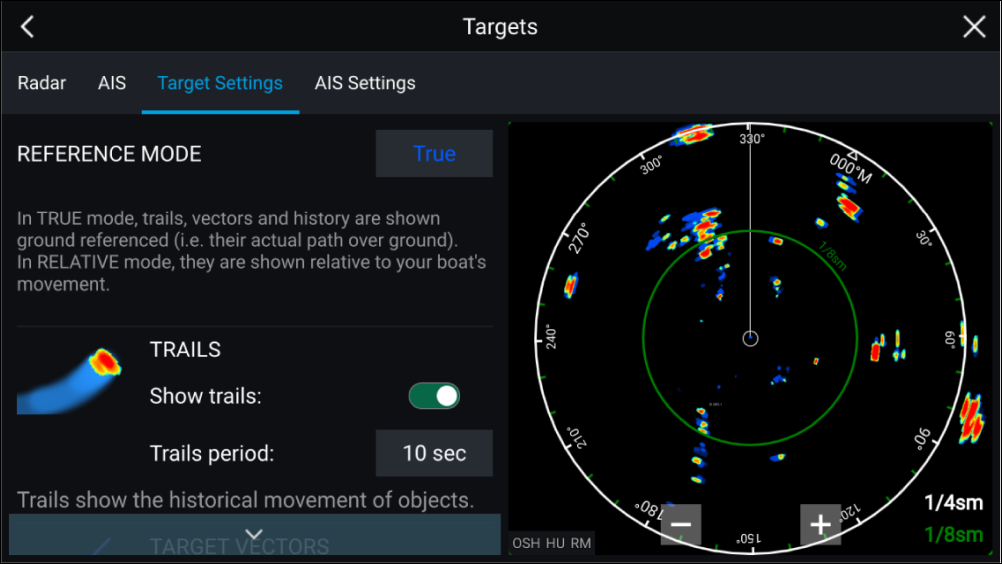
Radar targetTrails (Wakes)Trails plot the historical movements of objects (Radar returns) for the time specified in the Trails period setting.
Trails are subject to the selected “Reference Mode” (i.e. True, to show actual motion over “ground” (COG), or Relative, to show motion relative to your vessel).
Trails can be enabled and disabled using the Show trails toggle switch.
Historical object position is shown as a colored trail behind the object.