Setting a temperature offset
If your sonar transducer includes a temperature sensor then you can check and calibrate your temperature reading.
- Open the Fishfinder app.
- Open the Transducer settings menu: .
- If you have more than 1 sonar transducer installed, then you will need to select the relevant transducer.
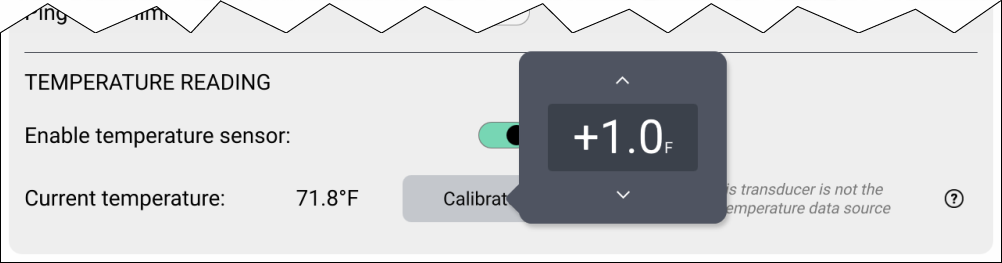
- If required, select the Enable temperature sensor toggle switch to enable the sensor..
- Measure the actual water temperature using a thermometer.
- Check your reading against the displayed Current temperature .
- If the readings are not the same, select Calibrate temp and enter the difference between your 2 readings.