Track options
Track options are available from the More options pop-over menu.
TrackOptions
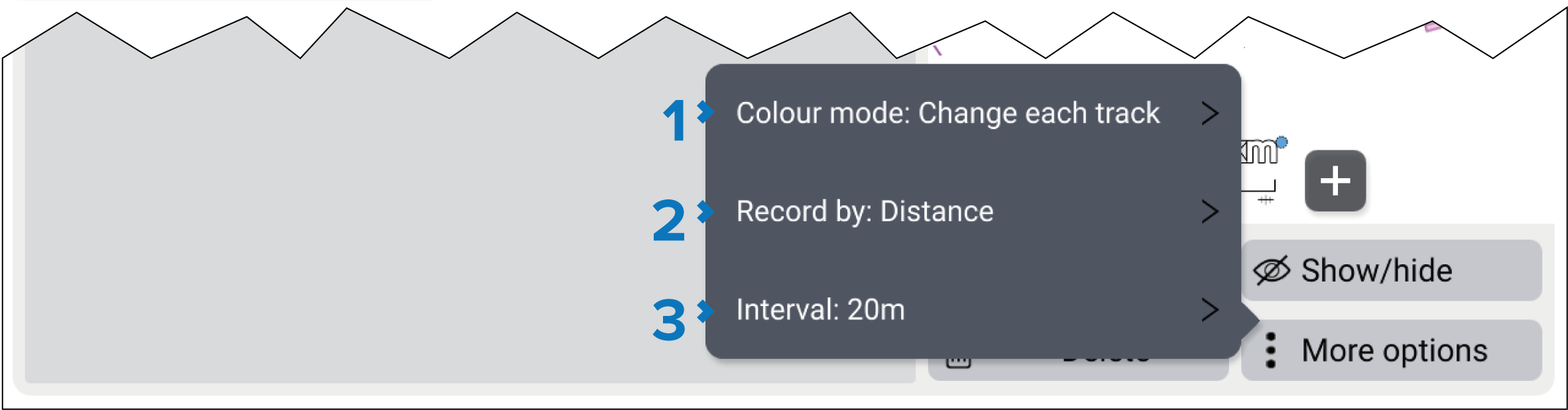
Color mode — the color used for tracks can be set to a specific color or can be set so that the color changes automatically. The available options are:
Static colors: Red, Yellow, Green, Blue, Purple, Orange and Black.
Change each day — each day a different color will be used for created routes.
Change each track — each track will have a different color.
Record by — choose how track points are recorded. The available options are:
In Auto the track interval is set to 1 second for chartplotter’s that are using a fishing boating activity and 5 seconds for all other boating activities. Auto is the default setting.
When set to Time you can choose a specified time period between track points.
When set to Distance you can choose a specified distance between track points.
TrackIntervalInterval — the interval determines the time period or distance between track points when recording a track.