Interface shortcuts on the homescreen
Providing that the MFD successfully detects connected hardware from an integration partner, shortcuts to the relevant interface app page can be added to the homescreen. The interface app page will display the user interface (UI) for the partner hardware.
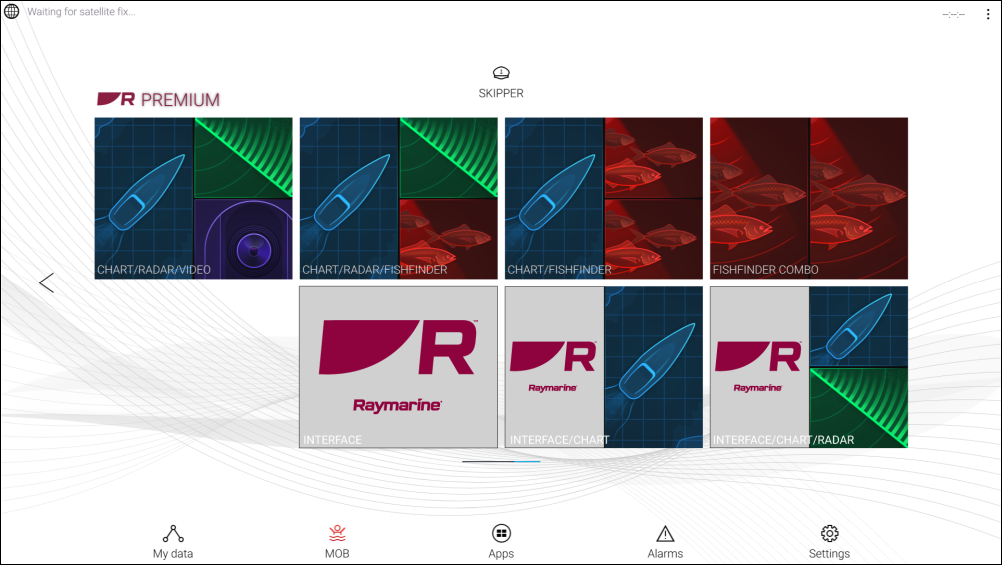
Figure 1. Example
Each shortcut can be either a landscape-orientation fullscreen integration app page, or a portrait-orientation splitscreen integration app page. Multiple shortcuts can be added for each page; for example, you could have one shortcut to a fullscreen integration app page, and another to a splitscreen app page, where the integration app shares the screen with another app, such as the Chart.
The method for creating each app page is the same as for creating a standard MFD app page. Refer to: Creating an app page
If the associated partner hardware is removed or not detected, the associated app page icons will remain on the homescreen but you will not be able to access the associated hardware’s user interface.