Saving crash and system logs
System logs and crash logs can be saved to memory card so that if requested by Technical support during troubleshooting they can be sent to Raymarine.
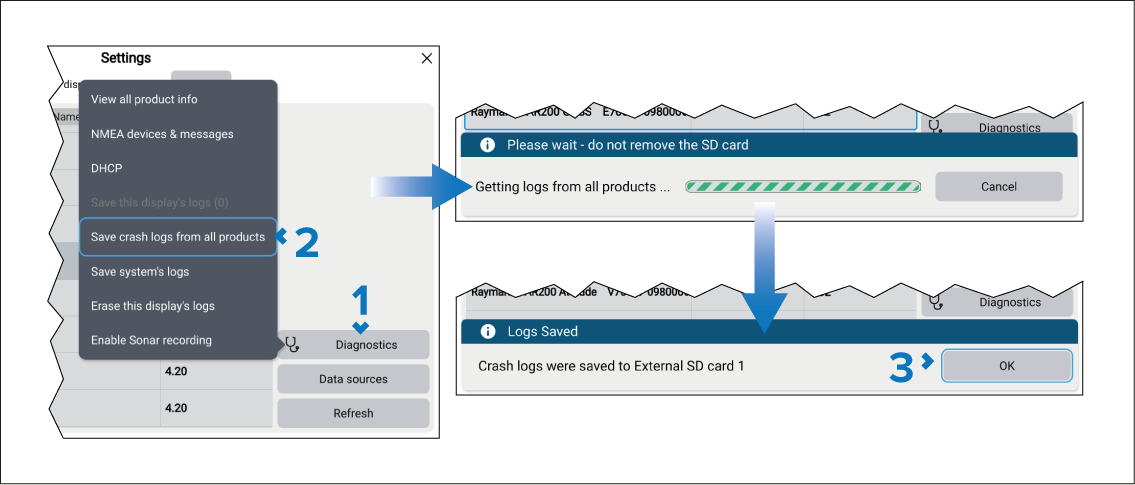
- Select the Diagnostics button from the Network settings menu: .
- Select either:
- Save this display’s logs — Only logs from this display will be saved.
- Save crash logs from all products — Logs from all networked devices will be saved.
- Save system logs — Only system logs will be saved.
- Select OK on the ‘Logs saved’ dialog.
The logs will be saved to a ‘logs’ folder that will be created on your memory card. The logs will be compressed as a ‘.zip’ file ready to be sent to Raymarine.