Data sources menu
When a system includes multiple sources of an
MDS compatible data type the system will automatically choose the
most appropriate source for the data. If you prefer, you can manually
select your own data source.
The Data sources menu can be accessed on your datamaster MFD, from the Settings menu: .
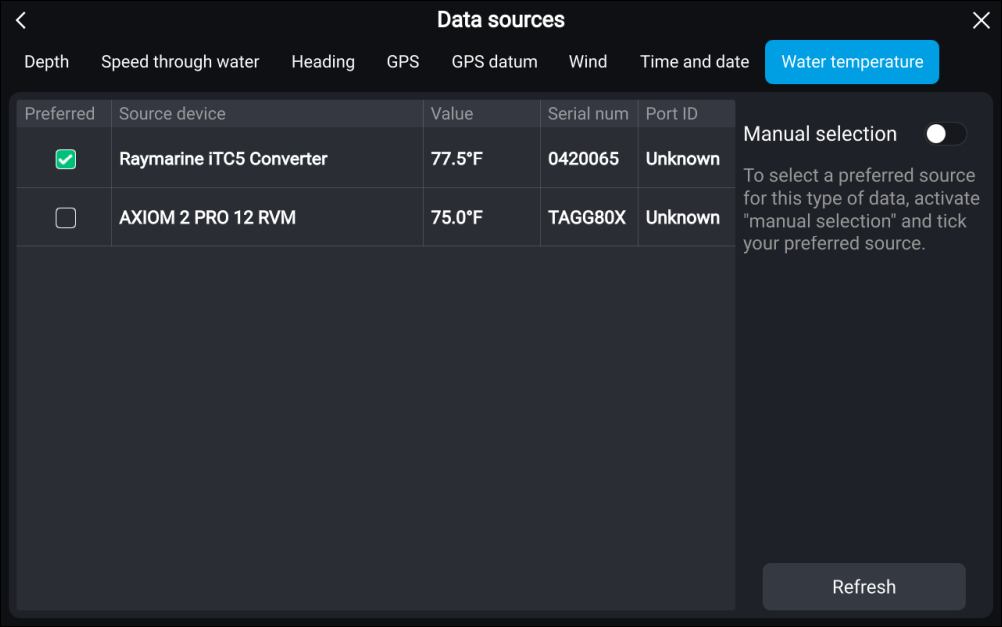
Data sources SelectionEach menu tab enables you to view the available data sources and, if required, manually select your preferred data source. The currently active data source will be ticked and display its current value in use.
To manually select a data source, enable the Manual selection toggle switch and then select your preferred data source from the list.
Networked MFDs will automatically be updated to use the Data sources selected on your datamaster MFD.
Select the Refresh button at the bottom of the screen to refresh the list.