Onscreen keyboard
Use the messaging onscreen keyboard to type your messages.
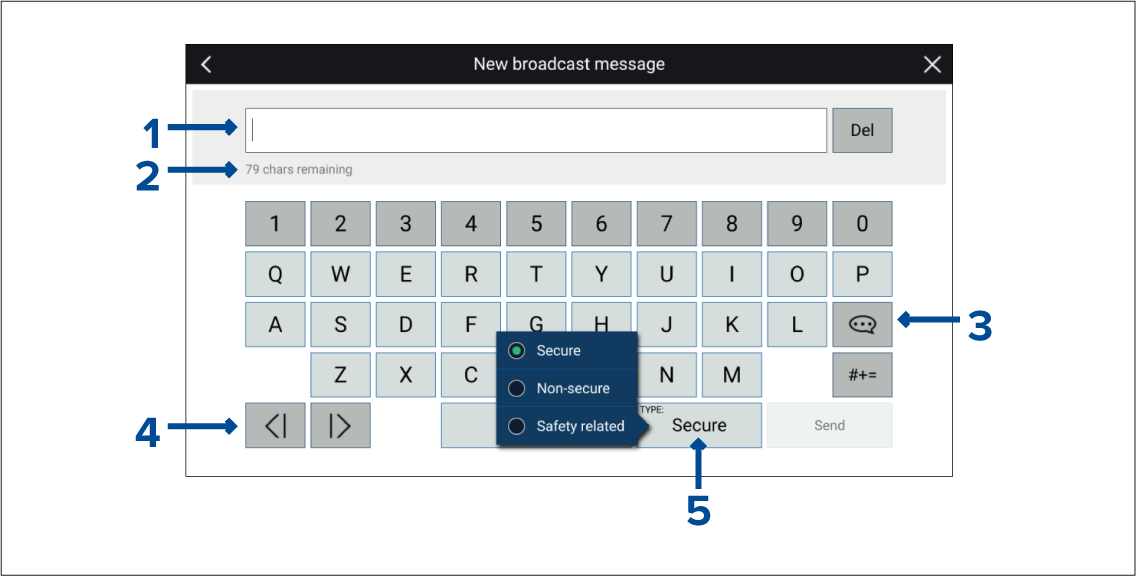
Text entry area.
Remaining characters.
Selecting the Template Text icon will change the onscreen keyboard to a list of template messages that can be used. Selecting My Position will enter your vessel’s current coordinates into the message.
Move cursor.
Transmission type.