Auto-route review menu overview
The Auto-route review menu provides the necessary details to check a route is safe and identify the areas that require caution.
Auto-routeReview menuThe Auto-route review menu provides the following:
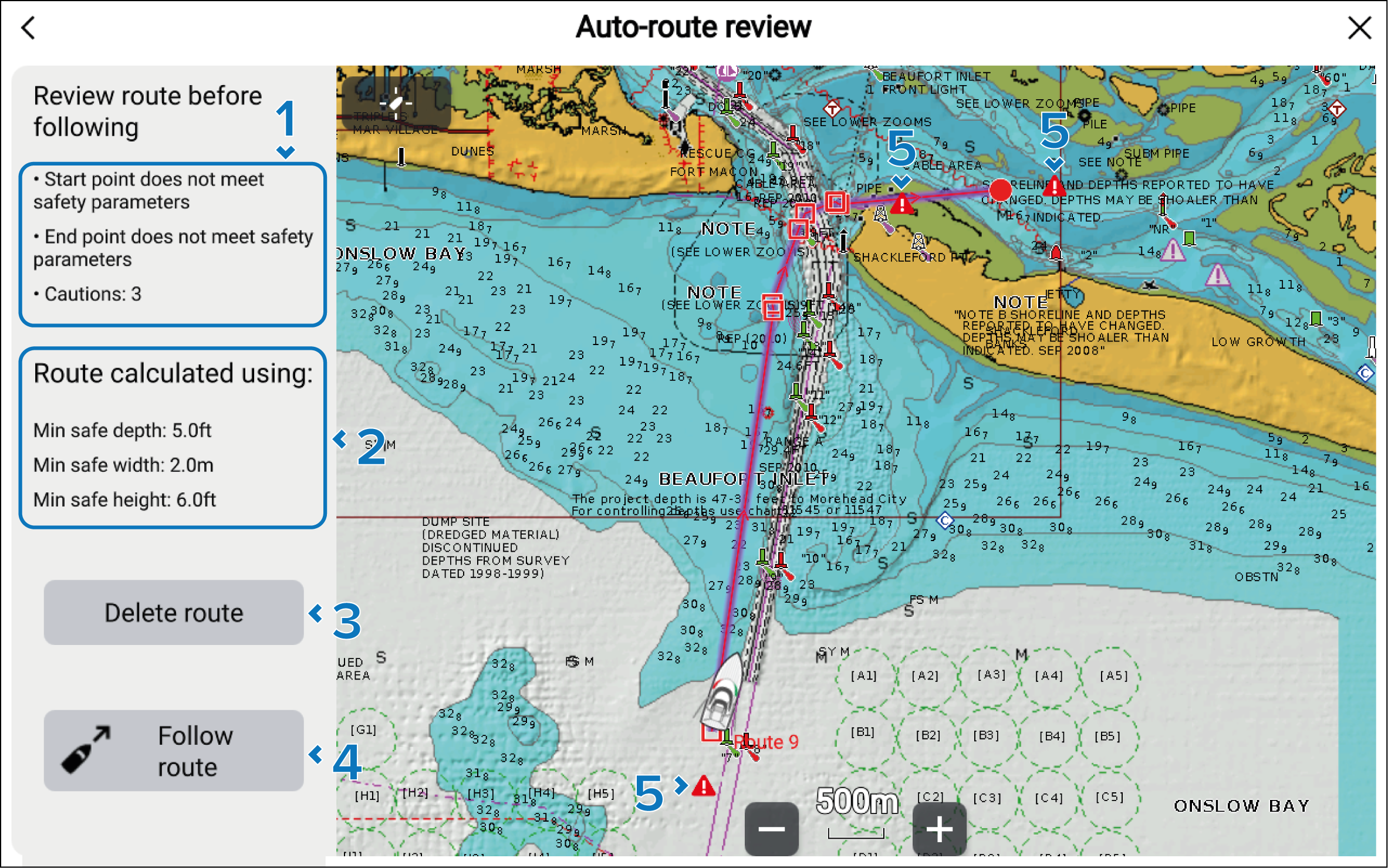
Details about any caution areas that are present.
Currently configured minimum safe distances that were used to generate the auto-route.
Delete route button — The route can be deleted by selecting the button.
Follow route button — Once the route has been checked it can be followed by selecting the button.
Caution symbols are used to identify the areas that are potentially unsafe.