Alarm and notification sources
The display can show alarms and notifications from various sources.
Alarms Alert sources
NMEA 2000 alerts that use pre-defined “alert codes” are NOT supported.
The display will respond to NMEA 2000 alerts using PGN 126984.
The below examples are not limited to the stated source type; e.g.: A bilge alert could be transmitted from an NMEA 2000 device or a digital switching system.
Alarms can be shown from the following sources:
Raymarine alarms
Raymarine alarms are alarms and notifications that are raised by the display or connected Raymarine equipment using proprietary messages. These alarms can usually be enabled and disabled individually, and have trigger thresholds that can be assigned in the Alarm manager.

Figure 1. Example shallow depth alarm
The Shallow depth alarm is triggered when the display detects that the depth reading from the depth transducer is shallower than the Shallow depth alarm threshold set in the Alarm manager.
Standard NMEA 2000 alerts
NMEA 2000 alerts are alarms raised by Raymarine and third-party products which transmit alerts using standard NMEA 2000 PGN 126983 and Alert text using PGN 126985. These alerts will always be received by the display, unless they use pre-defined “alert codes”. These alerts cannot be disabled.
NMEA 2000 alerts that use pre-defined “alert codes” are NOT supported.
The chartplotter requires LightHouse v4.8.164 or later to show these alerts.

Figure 2. Example Bilge alarm
An alarm is displayed when the display receives an alert from a device that is transmitting using standard NMEA 2000 alert PGNs.
Proprietary configured NMEA 2000 alerts
Proprietary configured NMEA 2000 alerts are alarms that are received from approved devices; these alert transmissions also include proprietary use of PGN 126986. These alarms can be enabled and disabled globally and individually, depending on configuration.

Figure 3. Example digital switching alert
An alarm is displayed when the display receives an alert from a digital switching system such as YachtSense DCS or Trigentic.
Generic engine alerts
Generic engine alerts are alarms received from a compatible engine management system which transmits using NMEA 2000 PGN 127489. These alerts can be enabled or disabled globally.

Figure 4. Example generic engine alarm
An alarm is displayed when the display receives an alert message from a compatible engine management system. This alert may be received directly or via an interface or converter.
Integrated engine alerts
Integrated engine alerts are alarms and notifications received from engines where a specific engine integration has been implemented. Receipt of these messages requires specific engine manufacturer selection on the display. Once configured, these messages cannot be enabled or disabled.
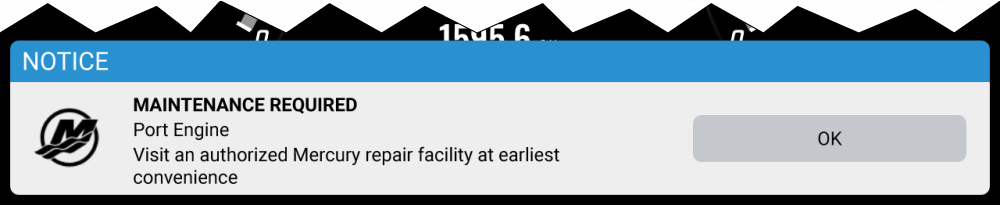
Figure 5. Example manufacturer specific engine notification
An alarm or notification is displayed when the display receives a message from an integrated engine manufacturer’s engine management system.
Third-party hardware integration alerts
Third-party hardware integration alerts are alarms received from specific third-party hardware which has been integrated with the display. Alerts from each hardware manufacturer can be enabled or disabled globally.

Figure 6. Example Third-party hardware alarm
An alarm or notification is displayed when the display receives a message from third-party hardware. The third-party hardware integration must support the transmission of alerts.
NMEA 0183 alerts
NMEA 0183 alerts are alarms received from connected products that transmit using supported NMEA 0183 sentences. Supported NMEA 0183 alerts are always received, and cannot be disabled. NMEA 0183 devices may require an NMEA 0183 to NMEA 2000 converter to connect to the display.