SRU action — Accepting a SAR pattern
To accept, import and start following a SAR pattern when assigned as SRU follow the steps below:
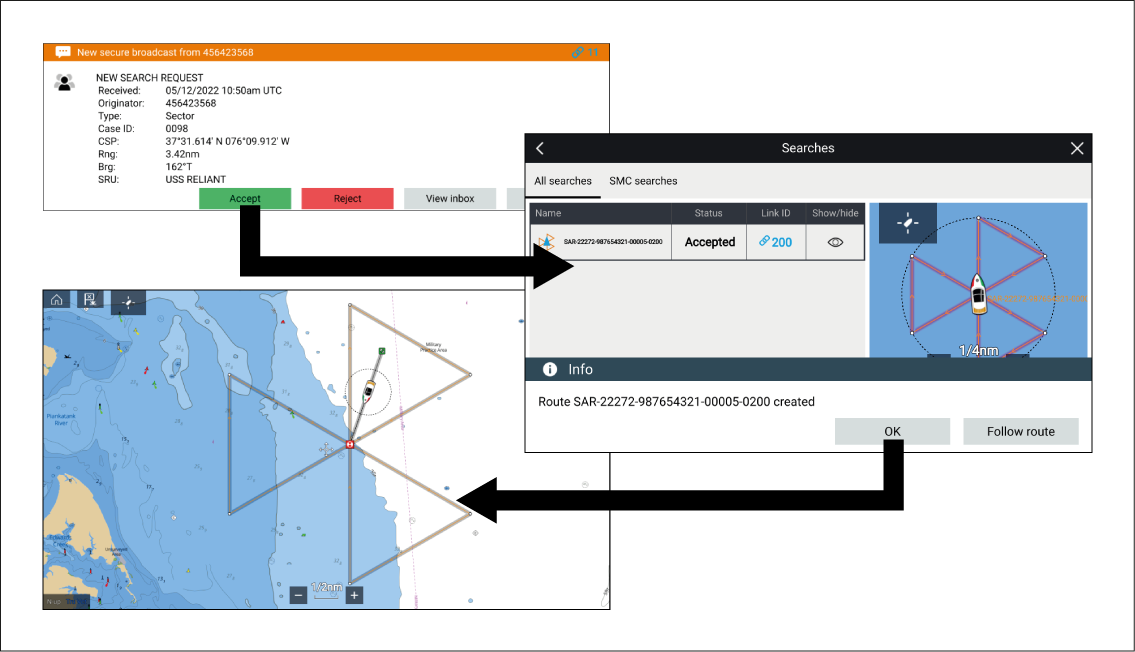
The search pattern is followed in the same way as any other route, unless a diversion is required.
To accept, import and start following a SAR pattern when assigned as SRU follow the steps below:
The search pattern is followed in the same way as any other route, unless a diversion is required.