Navigating to a waypoint or point of interest (manual steering)
You can navigate to a waypoint or a point of interest by performing a Goto. When performing a Goto active navigation will commence which guides you to a selected destination.
Follow the steps below to perform a Goto using manual steering:
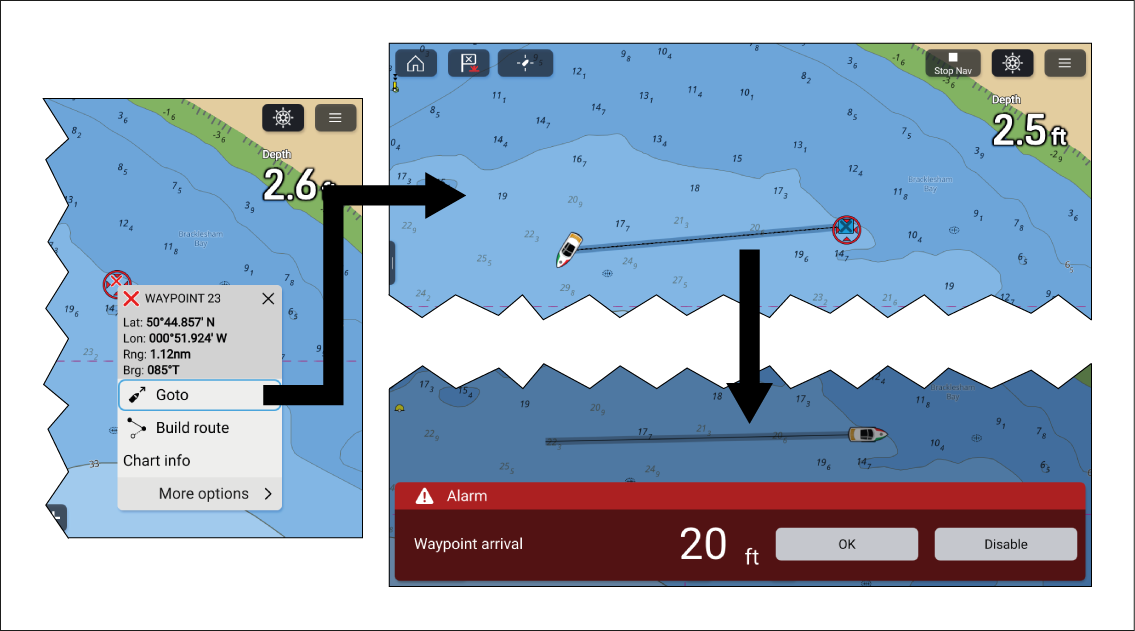
You can also navigate to a waypoint from the Go menu: or you can navigate to a specified latitude and longitude from the Go menu: .
You can end active navigation at any time by selecting the Stop Nav onscreen icon located at the top of the screen or selecting Stop from the context menu or Navigation menu.
For more information on waypoints and waypoint management refer to: Waypoints