ClearCruise® settings (Augmented Reality)
Augmented Reality settings can be edited in the ClearCruise settings menu in the Video app.
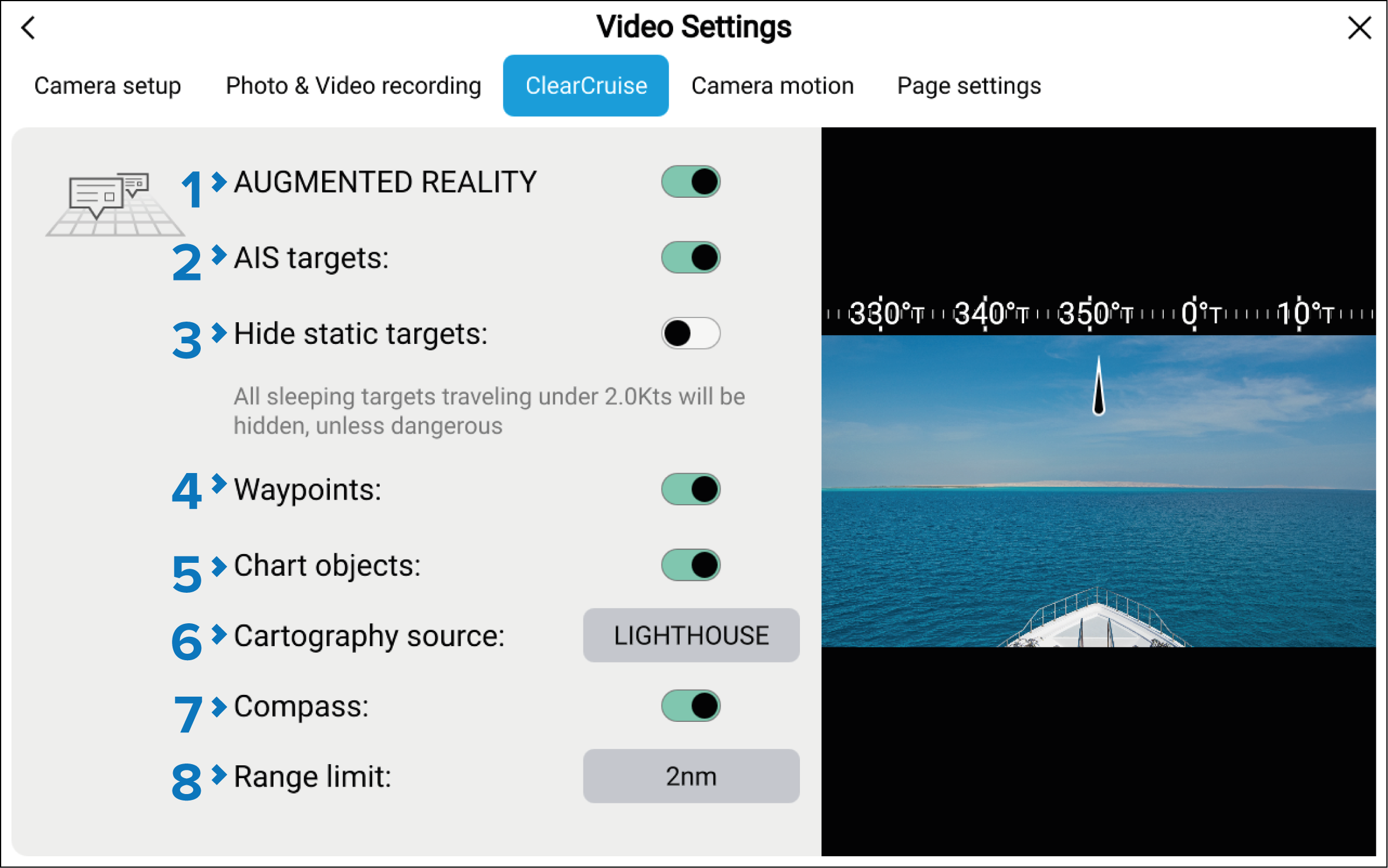
Augmented RealityClearCruise settingsThe following settings are available:
Description |
|
|---|---|
1 |
AUGMENTED REALITYAugmented Reality Enables/disables Augmented Reality for the current camera. |
2 |
AIS targetsAugmented RealityAIS targets Enables/disables the display of other vessels as Augmented Reality flags (requires AIS). |
3 |
Hide static targets Enables/disables the display of AIS targets travelling under 2 knots (requires AIS). |
4 |
WaypointsAugmented RealityWaypoints Enables/disables the display of Waypoint Augmented Reality flags. |
5 |
Chart objectsAugmented RealityChart objects Enables/disables the display of Chart objects (requires compatible charts). |
6 |
Cartography sourceAugmented RealityCartography source Select the cartography source that the Augmented Reality features will use for the display of chart objects in the Video app. (Requires compatible charts). |
7 |
CompassAugmented RealityCompass bar Enables/disables the display of the Compass bar in the Video app. |
8 |
Range limitAugmented RealityRange limit Sets the maximum range at which the camera will detect and display Augmented Reality flags. This range is displayed visually in the Chart app with the “FOV cone”. Refer to: Field of View. For the maximum range supported by your camera, refer to: Range limit |
The variety of chart objects is dependent on the selected cartography source. For more information on different cartography sources, refer to: Find nearest