Dashboard app onscreen controls
MFD app use icons for controls which are permanently onscreen.
Dashboard app controlsControlsDashboardThe following control icons are available in the Dashboard app:
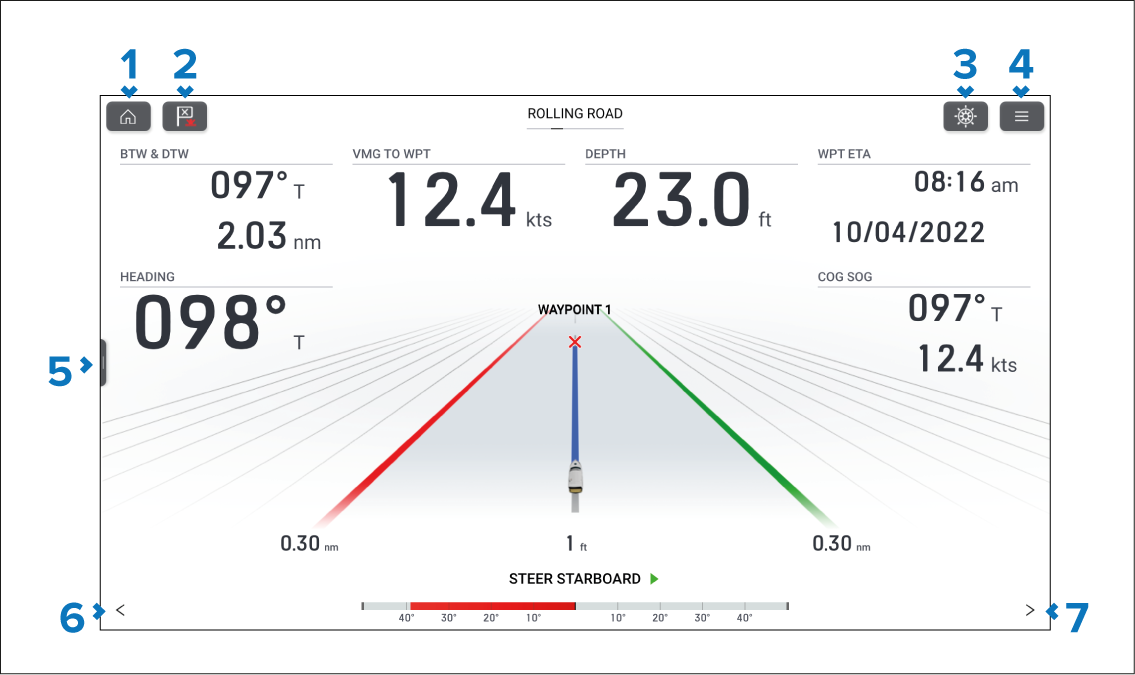
Home — Closes the app and displayed the homescreen.
Waypoint / MOB — Momentary press places a new waypoint at your vessel’s current location. Long press activates the Man Over Board (MOB) alarm.
Pilot — Opens and closes the pilot sidebar.
Menu — Opens the app menu.
Sidebar — Press and slide right to open the sidebar.
< (Left arrow) — Displays the previous data page.
> (Right arrow) — Displays the next data page.