Manual control
Manual control enables you to control the direction and thrust level of the Trolling motor.
Sidebar TrollingTrolling motor Manual control
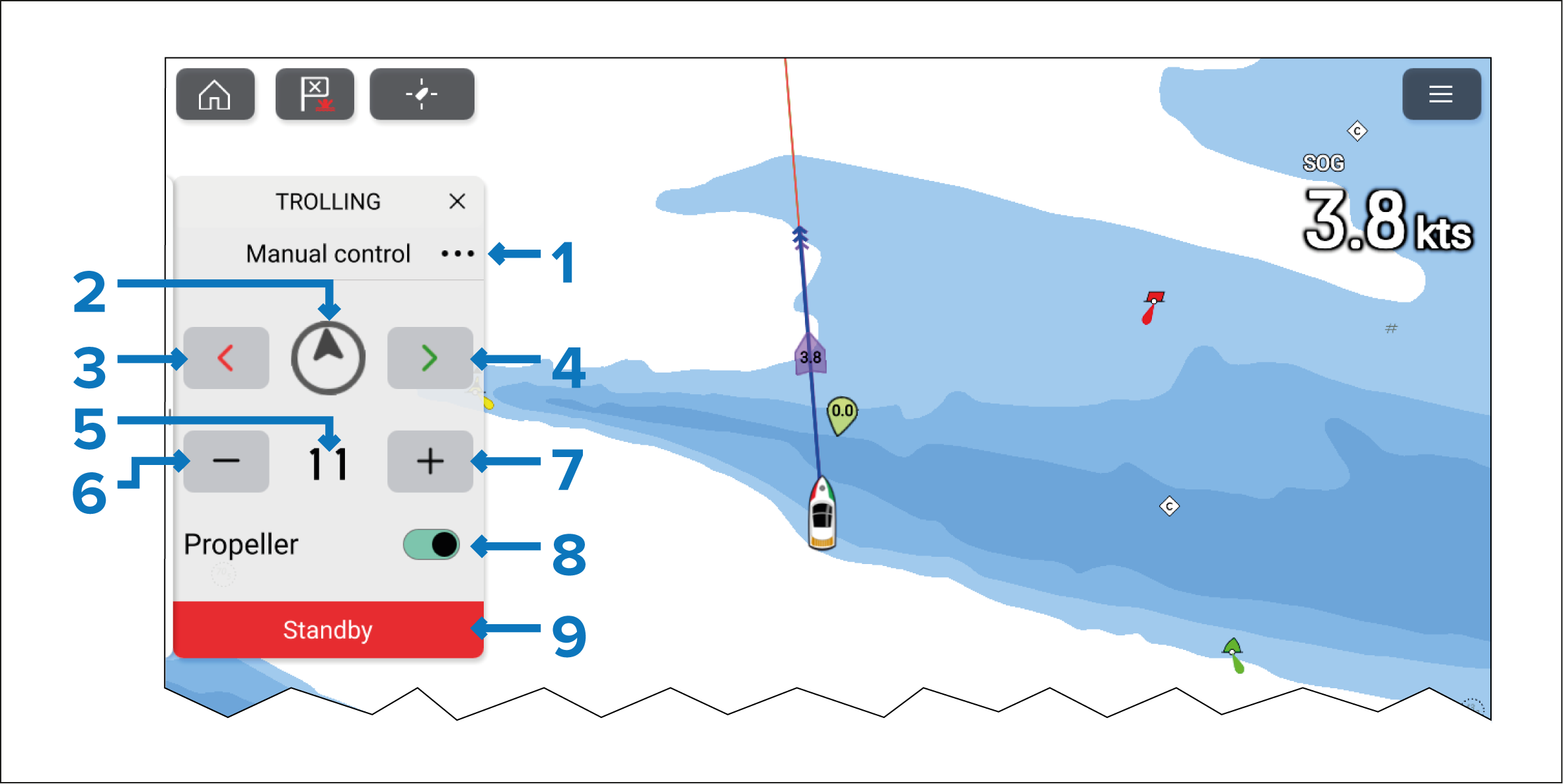
The Manual control sidebar includes the following controls:
Menu — Select the three dots to access the available Trolling motor modes.
Motor direction indicator — Shows the angle of the Trolling motor, referenced to boat heading.
Steer port.
Steer starboard.
Current thrust.
Decrease thrust.
Increase thrust.
Propeller — Engages or disengages the trolling motor’s propeller. (Only available for Power-Pole® trolling motors).
Standby — Select at any time to place the Trolling motor into standby mode.
Increments of speed / thrust and steering are commanded by the Trolling motor, and as such the stated increments could be different or change.