Polar table csv file layout
Polar table csv files must be formatted as follows:
Polar tablecsv file layout
In the below example, each value is placed in a separate cell.
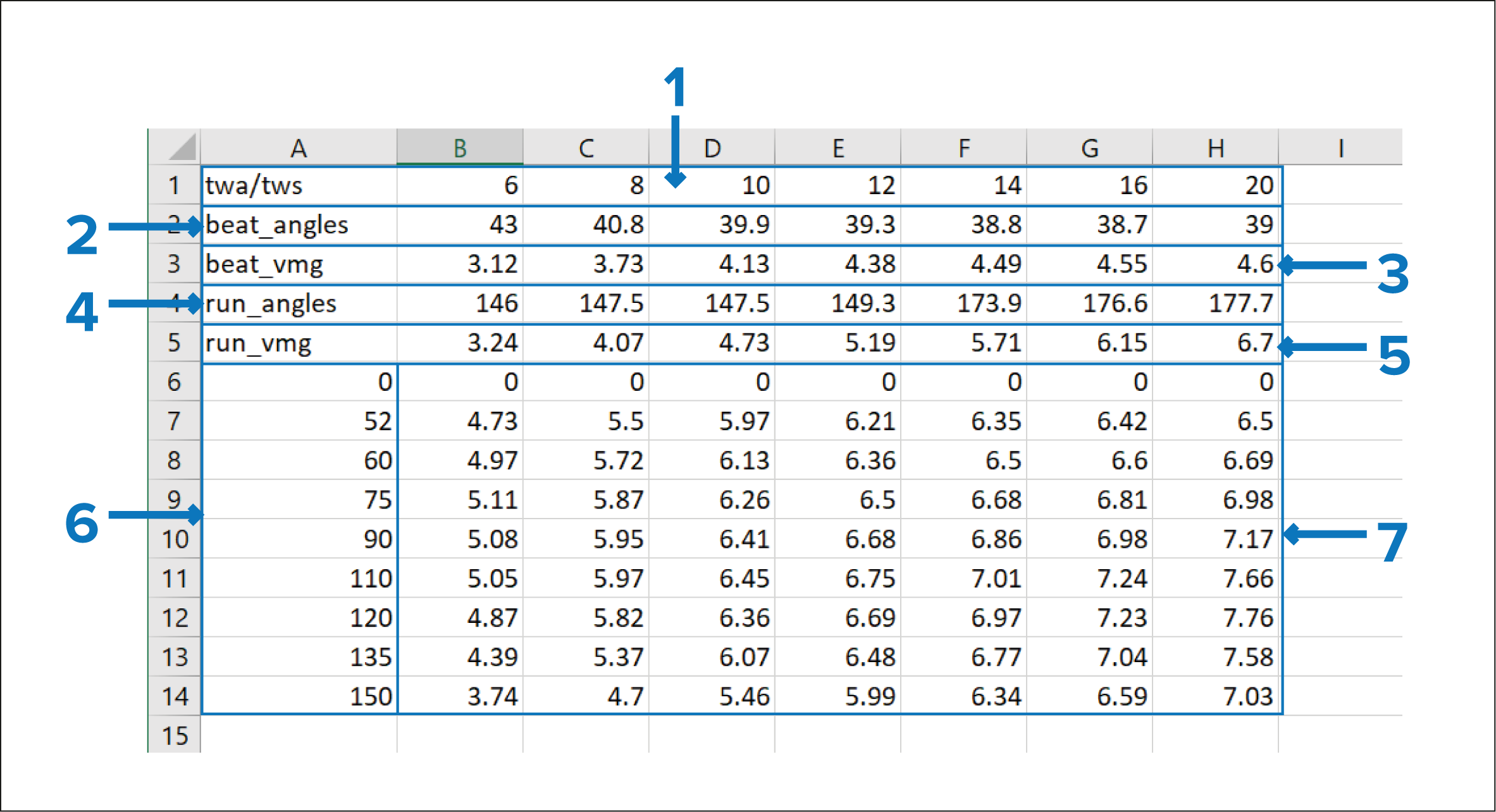
Figure 1. Example polar table
Alternatively, polar tables can be formatted with all values in a single column, separated using semi-colons, as shown below:
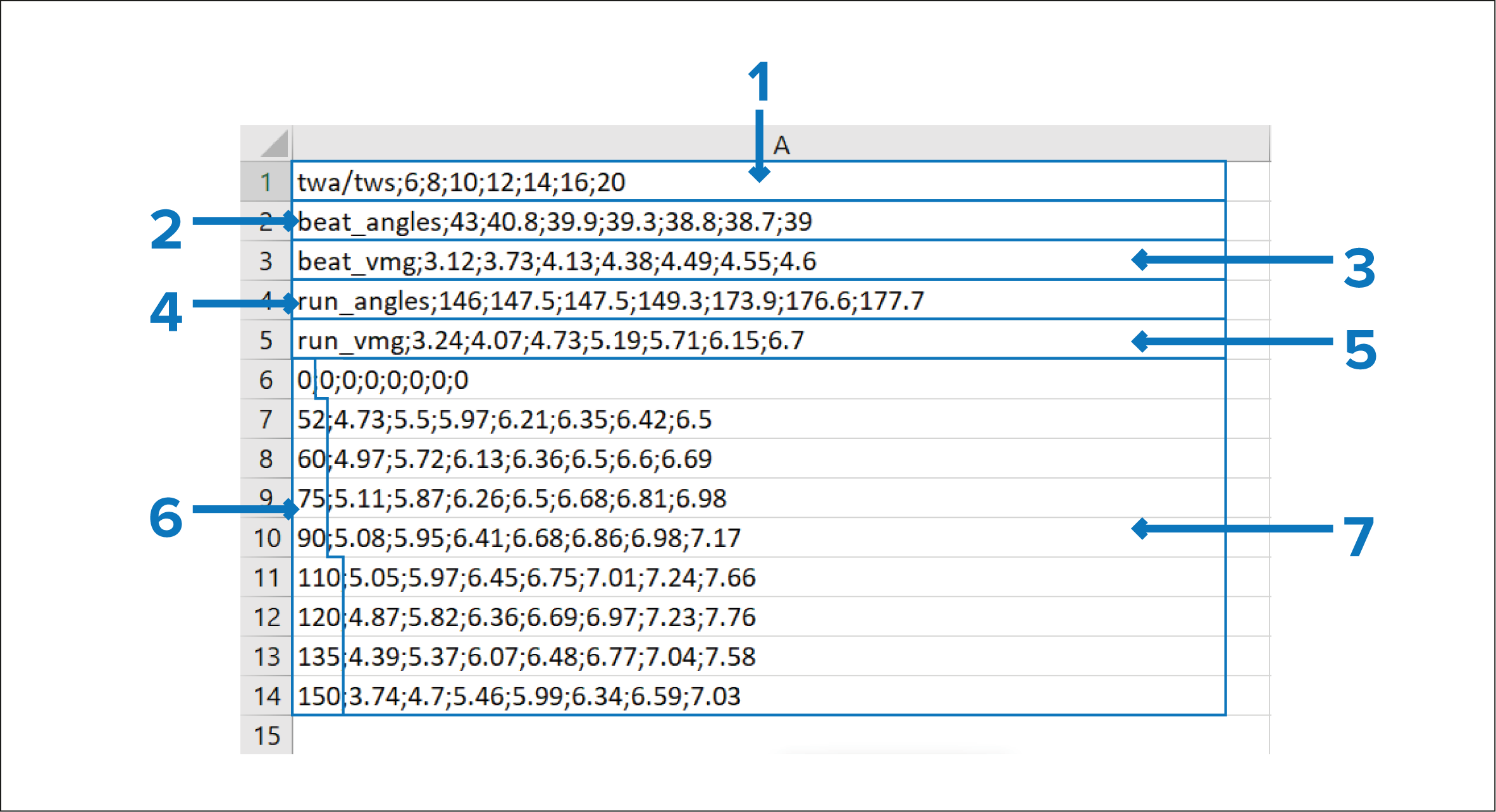
Figure 2. Example alternate layout polar table
TWS (True Wind Speed) — Define the range of TWSs for which you want to enter speed values.
NoteAs a minimum, 3 TWS values / rows are required.
Beat angles — Define the range of Beat angles for which you want to enter VMG values.
Beat VMG — Define the VMG for each Beat angle.
Run angles — Define the range of Run angles for which you want to enter VMG values.
Run VMG — Define the VMG for each Run angle.
TWA (True Wind Angle) — Define the range of TWAs for which you want to enter Speed Through Water (STW) values.
NoteAs a minimum, 3 values / rows must be included.
STW (Speed Through Water) values — Define the speed for each TWA / TWS.
A Polar table csv template is available to download from the following web page: https://www.raymarine.com/en-us/learning/online-guides/polar-performance-data