To set up the anchor drag alarm using the anchoring wizard,
follow the steps below.
Note
Anchor mode can be configured with or without depth
calculations. If you do not want anchor mode to include depth calculations,
disable the Anchor alarm includes depth component option in the Advanced settings menu.
Anchoring wizardSelect a suitable
location to anchor your vessel.
Select the ANCHOR mode icon from the
chart app menu.
If prompted, enter your Boat length and Bow to GPS distances and select OK.
Select the Start anchoring wizard button
located on the center of the screen.
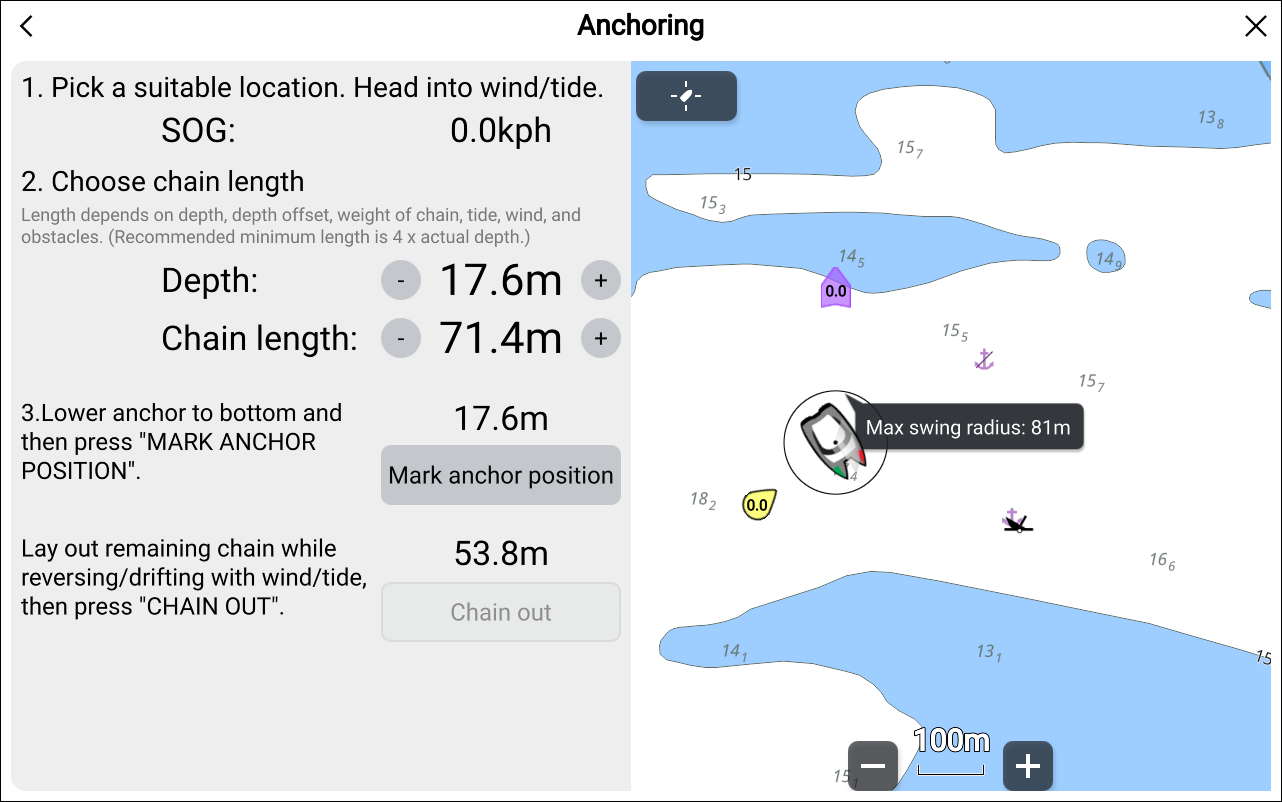
The first page of the anchoring wizard is displayed:
Based on the initial Max swing radius shown in the
live view pane, ensure the location is suitable and that no obstacle
could come into contact with your vessel as it drifts.
Steer your vessel into the wind / tide.
If required, manually adjust the Depth and Chain length settings, using the relevant + and - buttons.
By default, the Depth value is the depth
reading from the depth / sonar transducer (including any depth offset
value configured for the transducer).
By default, the Chain length value is 4
times (4x) the water depth, plus one meter.
Note
Adjusting the Depth or Chain
length values manually using the + and - buttons will fix their values. Depth will change to Anchor depth, and will no longer
be updated by transducer depth readings . Chain length will no longer
be updated when the Depth value changes.
Lower your vessel’s anchor.
AnchoringMark anchor positionOnce the anchor hits the bottom, select Mark
anchor position.
If required, the anchor position can be adjusted later using
the onscreen controls.
Deploy the remaining chain length while reversing / drifting
with the wind / tide.
AnchoringChain outSelect Chain out.
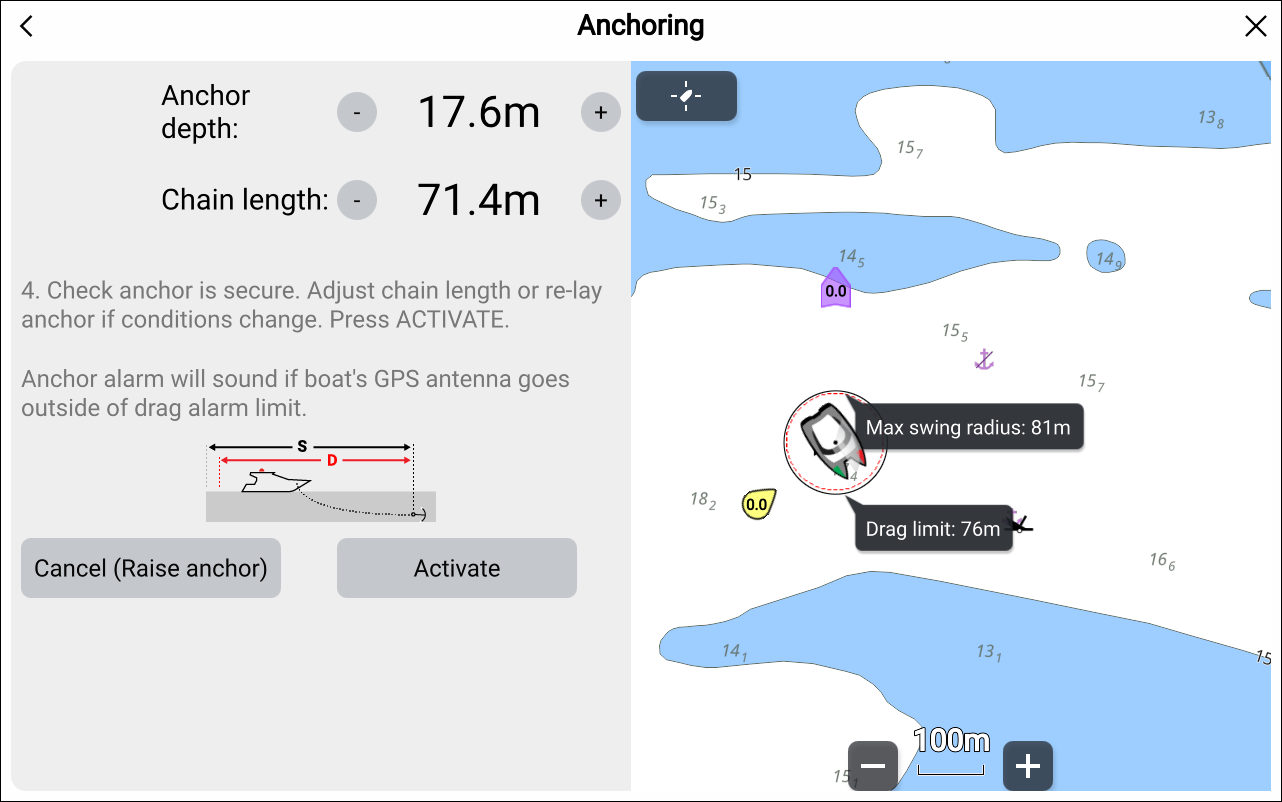
The second page of the anchoring wizard is then displayed:
Check that the anchor is secure. If conditions have changed,
adjust the chain length or select Cancel (Raise anchor) and restart the anchoring process.
Select Activate.
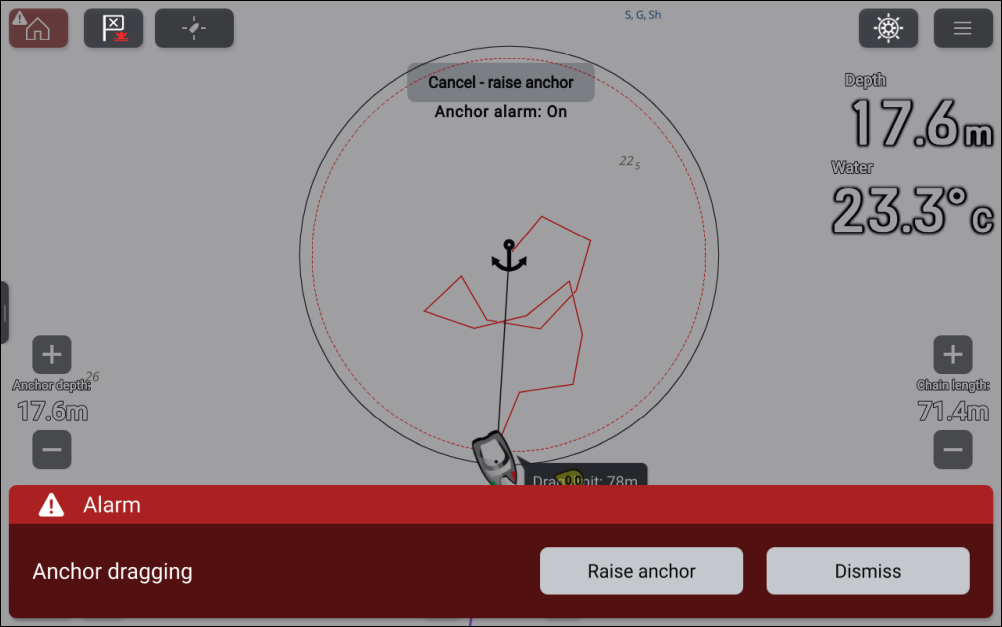
The Anchor drag alarm will be triggered if the vessel drifts
outside of the specified Drag limit.
AnchoringAnchor
dragOnce the Anchor drag alarm is active,
it can be cancelled at any time by selecting Cancel – raise
anchor from the Chart app screen, or Raise anchor from the Alarms manager: Homescreen > Alarms > Settings > Anchor Drag > Raise anchor.
If conditions change (e.g. tidal height changes),
you can use the onscreen Anchor depth, Chain length and Anchor position controls
to adjust the Anchor mode settings.