Roll correction
Roll correction automatically adjusts the Video app image when the vessel tilts (rolls) to port or starboard.
Note
Roll correction is only available with IP cameras.
Augmented RealityRoll correction
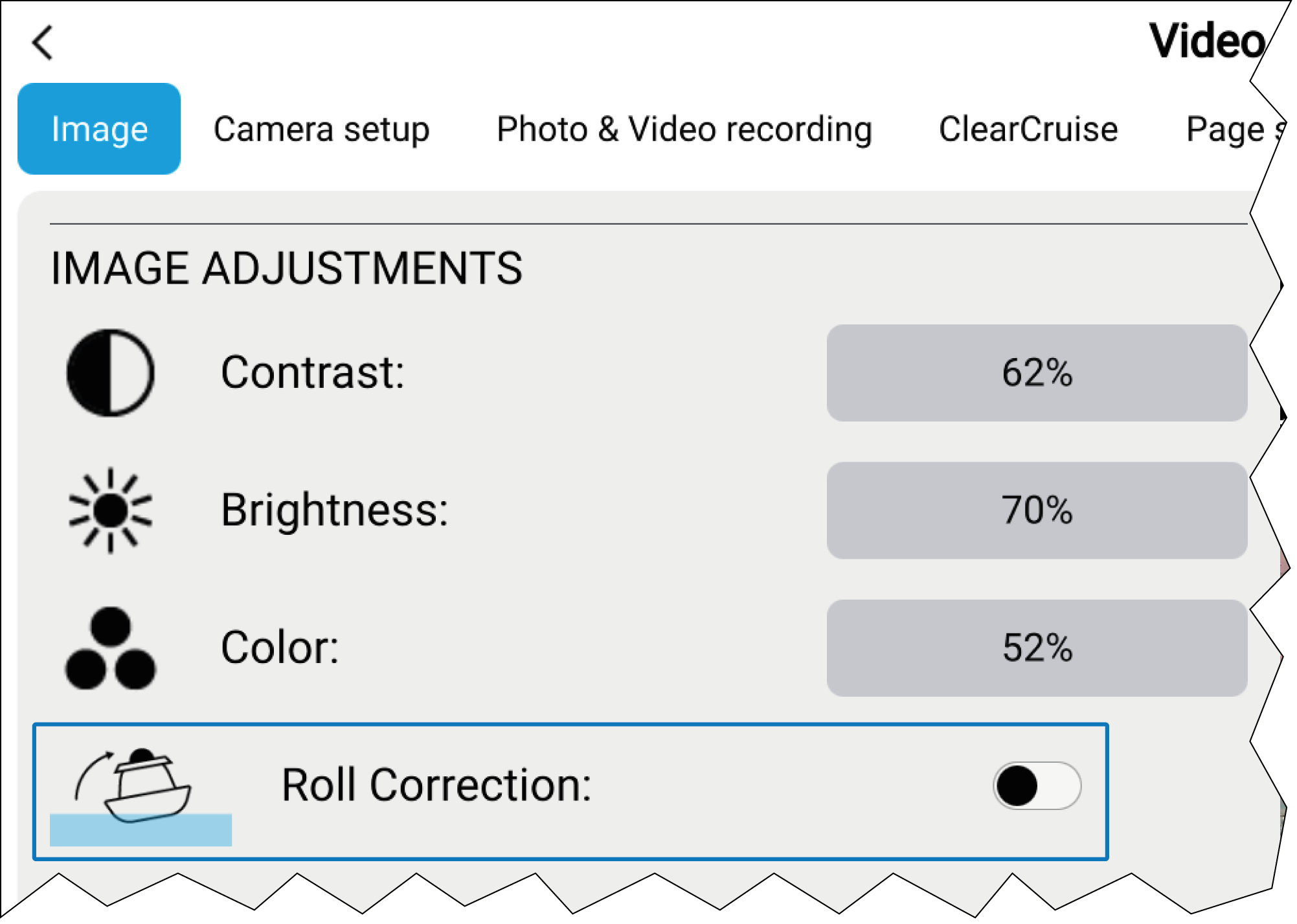
Roll correction can be enabled/disabled in the Video app: .
When enabled, the Roll correction feature accounts for the boat tilting and stabilizes the video feed accordingly. This means that the video feed’s horizon will be parallel with the actual horizon. When disabled, the video feed will tilt with the boat and the display screen.
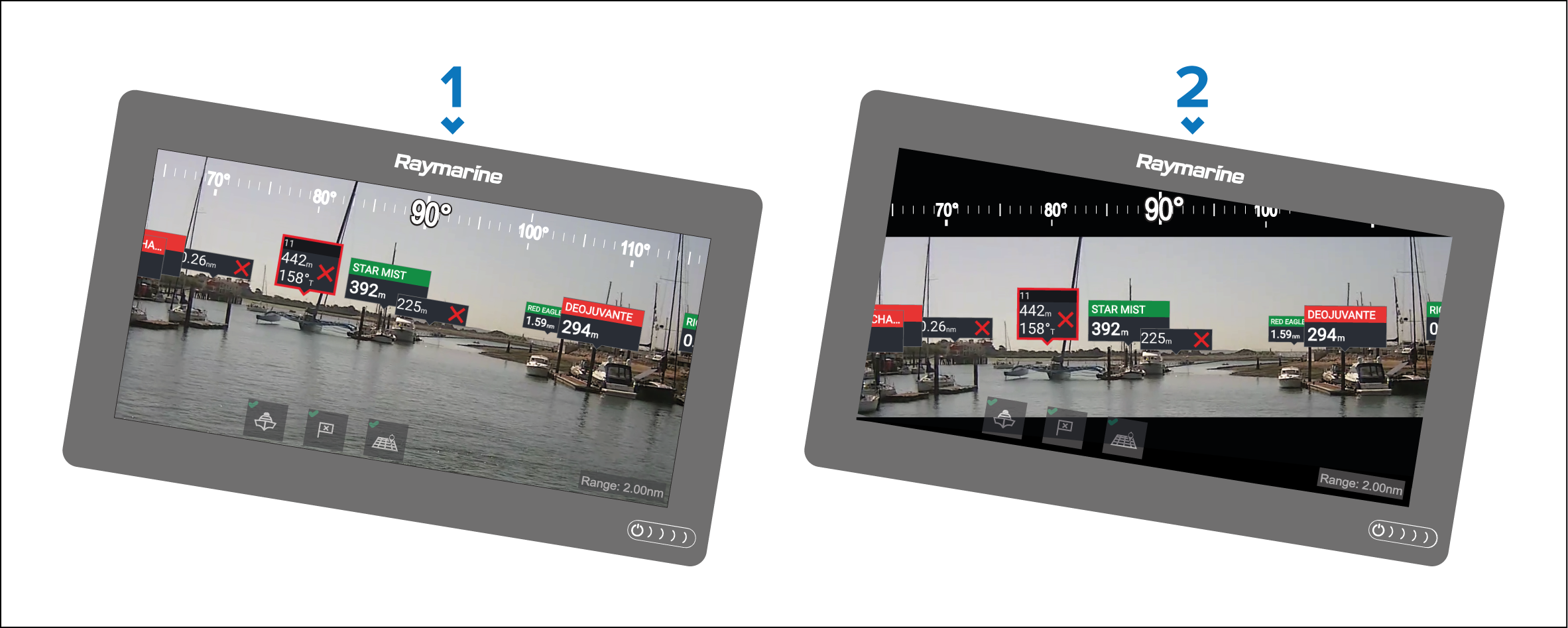
Roll correction disabled.
Roll correction enabled.