Engine page
The engine page is available when the Propulsion system has been set to Combustion. The number of engines displayed on the engine page is based on the number of engines the display has been configured with. The engine page includes data relevant to engines and includes the graphical engine dial.
Dashboard app Engine pageEngine dialEngine page Engine dialThe Propulsion system and number of engines can be configured during the initial Start up wizard and also at anytime from the Boat details settings menu.
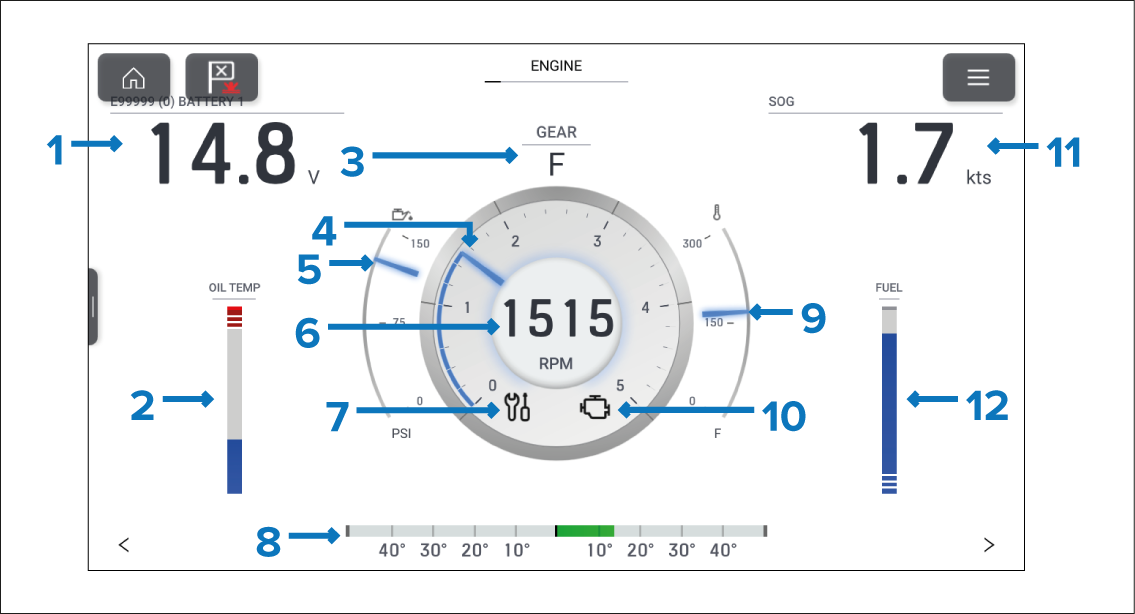
Figure 1. Example single engine data page
BATTERY 1 — Engine battery voltage.
OIL TEMP — Engine oil temperature.
GEAR — Transmission gear.
RPM indicator — Graphical representation of engine RPM.
Oil pressure indicator — Current engine oil pressure indication.
RPM — Digital RPM value.
Maintenance indicator — Illuminates when engine maintenance is required.
Rudder bar — Provides an indication of rudder position.
Coolant temperature — Current engine coolant temperature indication.
Check engine — Illuminates when an engine fault is detected.
SOG — Speed Over Ground.
FUEL — Graphical representation of the percentage of fuel remaining.
The engine dial and its contents are unique to the engine page and cannot be reproduced on other data pages. The engine dial cannot be removed or hidden.
Data items 1,2, 9 and 10 can be customized. Data items 3 and 7 can be hidden if desired.
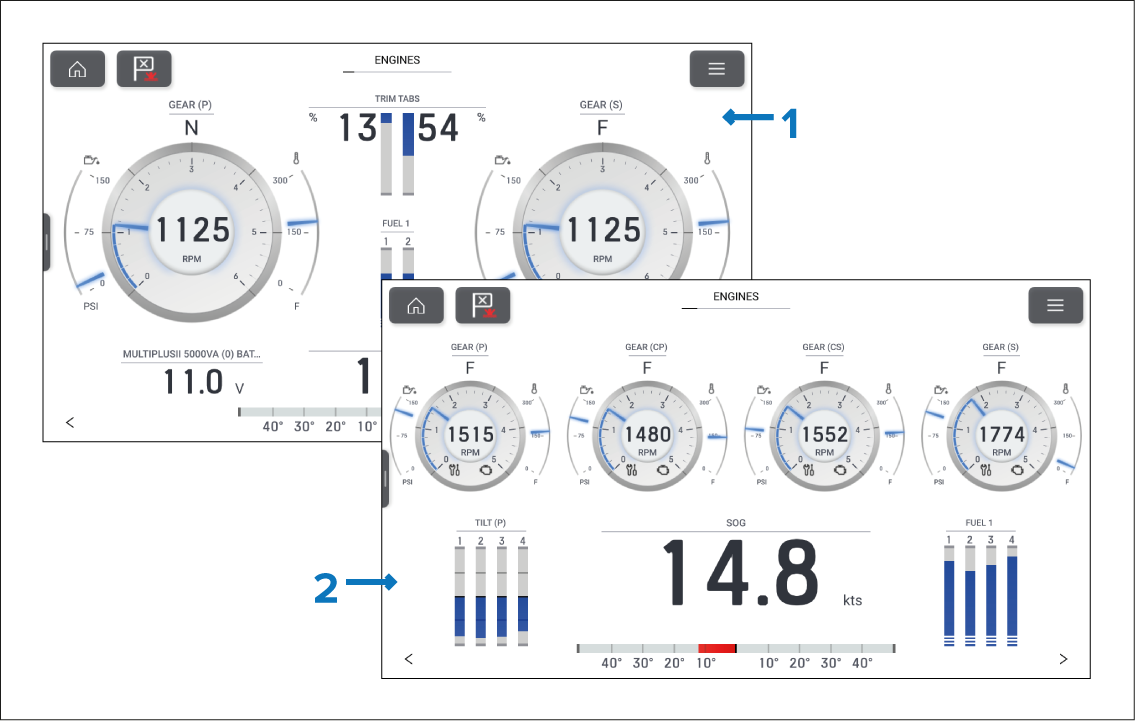
Figure 2. Multi engine page examples
2 engine page example.
4 engine page example
When the MFD has been configured with more than 1 engine the page layout and data is changed appropriately for the number of engines up to 5.
The number of engines displayed on the engine page can only be changed by performing a factory reset and choosing a different number of engines at the start up wizard.