AIS target list
AIS targets appear in the AIS target list.
AISTarget list
The AIS target list can be accessed by selecting the AIS tab from the Targets menu: .
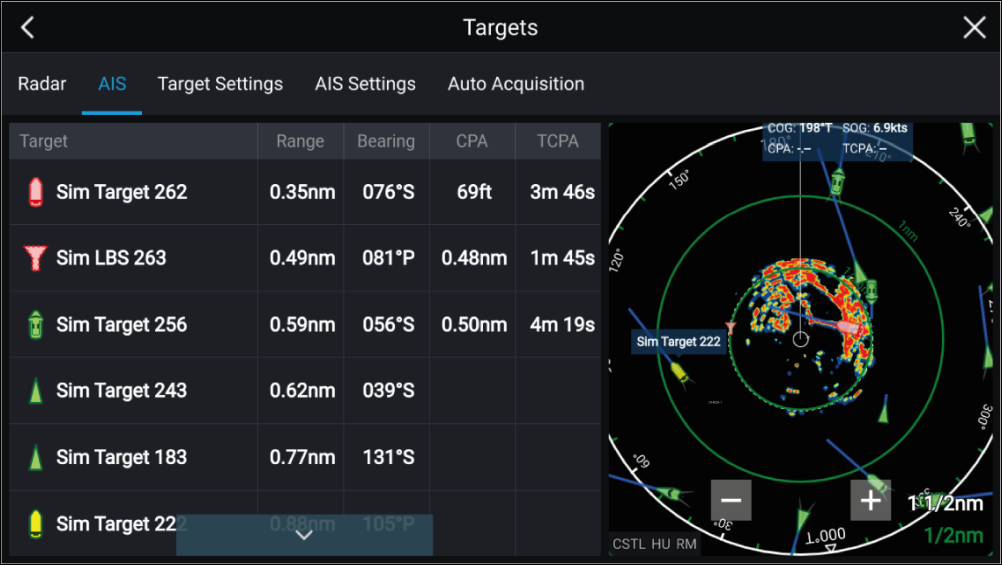
The list identifies: Target name and Range and Bearing (from your vessel). Where relevant, CPA (Closest point of approach) and TCPA (Time to Closest Point of Approach) values are also shown.
Selecting a target from the list will highlight the selected target in the LiveView pane on the right of the screen and display Pop-over options. Pop-over options enable you to View full target data or add an AIS target a buddy by selecting Add as buddy.
AIS icons used for targets marked as buddies will be filled yellow. You can also rename buddy targets or remove buddies using the Pop-over options.