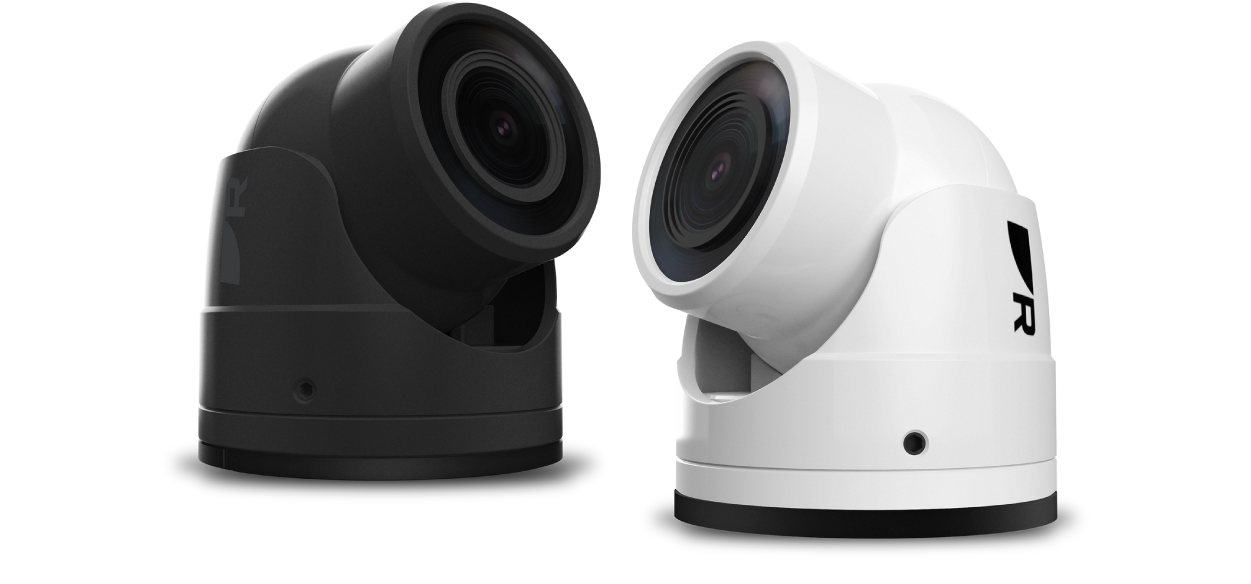
CAM400 Installation & Operation Instructions
Let’s Go!
How to navigate this document
Legal notices
Important information
Safety warnings
Product installation and operation
Potential ignition source
Switch off power supply
Product warnings
Powering PoE devices
Power supply voltage
Product grounding
Positive ground systems
Power supply protection
Service and maintenance
Regulatory notices
Disclaimer
Declaration of Conformity
PSTI Compliance
Product disposal
Warranty policy and registration
IMO and SOLAS
Technical accuracy
Publication copyright
Document information
Applicable products
Product documentation
Printed (hardcopy) product manuals
Document illustrations
Product and system overview
Product overview
Power over Ethernet (PoE)
Video recording storage consumption
Compatible chartplotters
Distance guides feature support
Example PoE system overview
Example dedicated power system overview
Example Augmented Reality system overview
Parts supplied
Parts supplied
Additional parts supplied
Required additional components
Inline fuse requirement
Inline fuse and thermal breaker ratings
Product dimensions
Product dimensions
Location requirements
Warnings and cautions
Potential ignition source
Camera location requirements
Location requirements for Augmented Reality
General location requirements
EMC installation guidelines
Suppression ferrites
Connections to other equipment
Compass safe distance
Installation
Tools required
Camera orientation
Camera base orientation
Cable routing options
Mounting (through-surface cable routing)
Preparing the mounting surface (through-surface cable routing)
Mounting gasket installation (through-surface cable routing)
Mounting the camera base (through-surface cable routing)
Attaching the collar
Adjusting the camera view
Mounting (surface cable routing)
Preparing the mounting surface (surface cable routing)
Mounting gasket installation (surface cable routing)
Mounting the unit (surface cable routing)
Attaching the collar
Adjusting the camera view
Cables and connections — General information
Camera cable connections
Power options
General cabling guidance
Cable types and length
Cable routing and bend radius
Strain relief
Circuit isolation
Cable shielding
Suppression ferrites
Connecting cables
Bare-ended wires
Positive ground systems
PoE connection
Power over Ethernet (PoE)
Network connection
Network cable connector types
Network cable extensions
Example PoE system overview
Dedicated power and network connections
Preparing the power cable
Dedicated power connection
Inline fuse and thermal breaker ratings
Grounding not required
Power distribution
Power cable extension (12 V systems)
Network connection
Network cable connector types
Network cable extensions
Example dedicated power system overview
Setup and operation via Raymarine chartplotter
Chartplotter software version
Automatic camera detection
Camera operation via the chartplotter Video app
Logging in to the user interface from a chartplotter
Setup and operation via PC / laptop
Camera IP address
Finding the camera IP address from the chartplotter
Camera IP address discovery
How to find an IP address
IP discovery via a device manager app
Logging in to the user interface from a web browser
User interface (settings)
CAM400 User interface
Live view page
Navigation pane
System information page
Camera Setting
Stream Format
Motion Detection
Password Change
User Account
Network Setting
DNS
NTP
RTSP
Port Setting
IP Filter
System Upgrade
Installing software updates
System Restart
Factory Default
Date / Time
System Logs
Augmented Reality
Augmented Reality (AR) overview
Example Augmented Reality system overview
Maintenance
Routine checks
Unit cleaning instructions
Troubleshooting
Troubleshooting
PoE power connection troubleshooting
Non-PoE power connection troubleshooting
IP camera troubleshooting
Augmented Reality (AR) Troubleshooting
Factory reset
Performing a factory reset via the user interface
Performing a factory reset using the factory reset switch
Technical support
Raymarine technical support and servicing
Diagnostic product information
Learning resources
Technical specification
Physical specification
Power specification
Environmental specification
Camera specification
Video specification
Conformance specification
Product markings
Spares and accessories
Spares and accessories
RayNet to RayNet cables and connectors
RayNet to RJ45, and RJ45 (SeaTalk HS) adapter cables
Ethernet (IPv4) networking of Raymarine devices with third-party products
ClearCruise compatible cameras