Logging in to the user interface from a chartplotter

The camera’s user interface can be accessed from a compatible Raymarine chartplotter.

To access the camera’s user interface from the chartplotter:
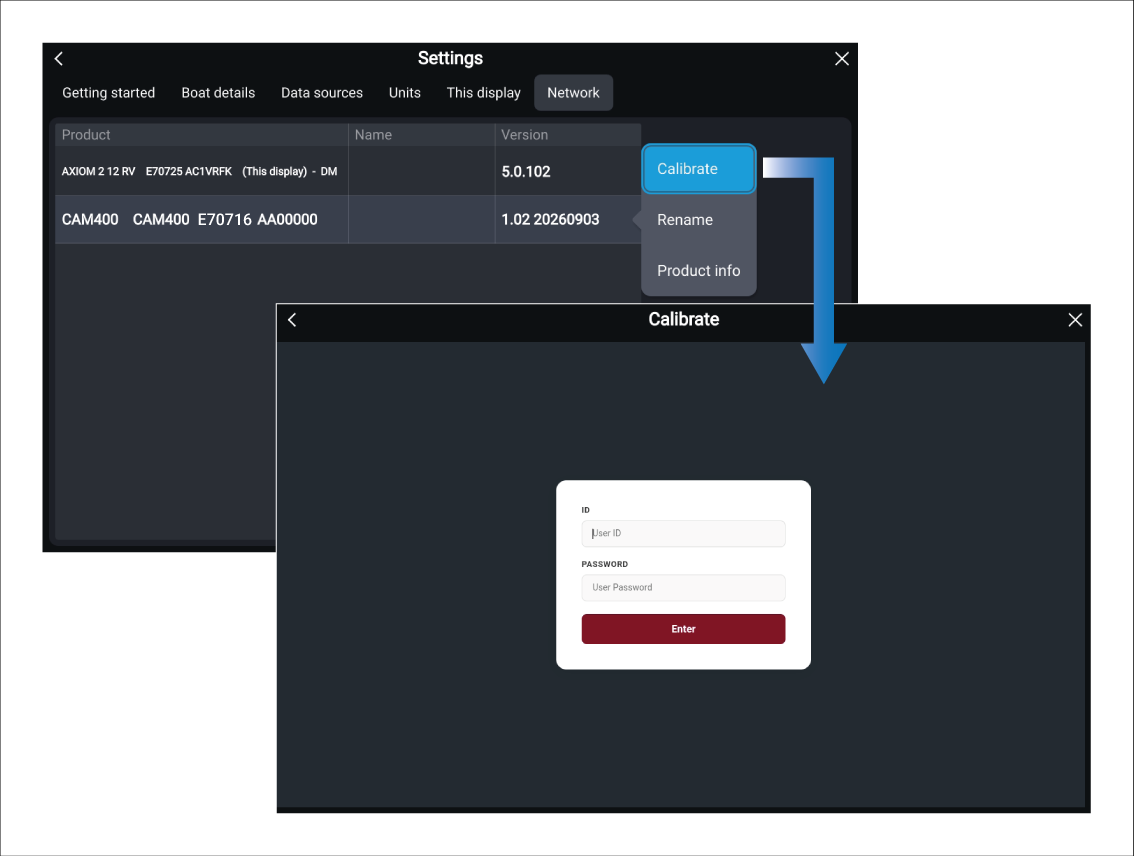
  1. Navigate to the Network settings menu: Homescreen > Settings > Network.
  2. Select the camera from the list of network devices.
  3. Select the Calibrate option. from the pop-over menu.

    Once selected, the camera’s user interface log in page will be displayed on-the chartplotter screen.

  4. Enter the username.

    The default username is: admin.

  5. Enter the password.

    The default password is printed on the camera’s product label.

  6. Select the Enter button.

The Live view page is displayed.

For details of the camera’s user interface, refer to: User interface (settings)