System Restart
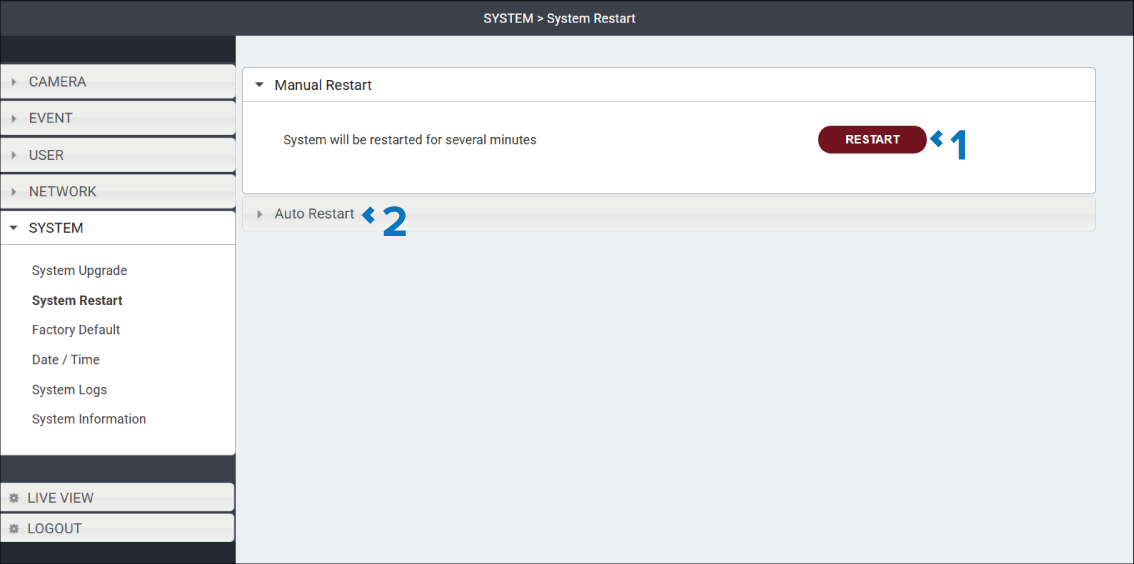
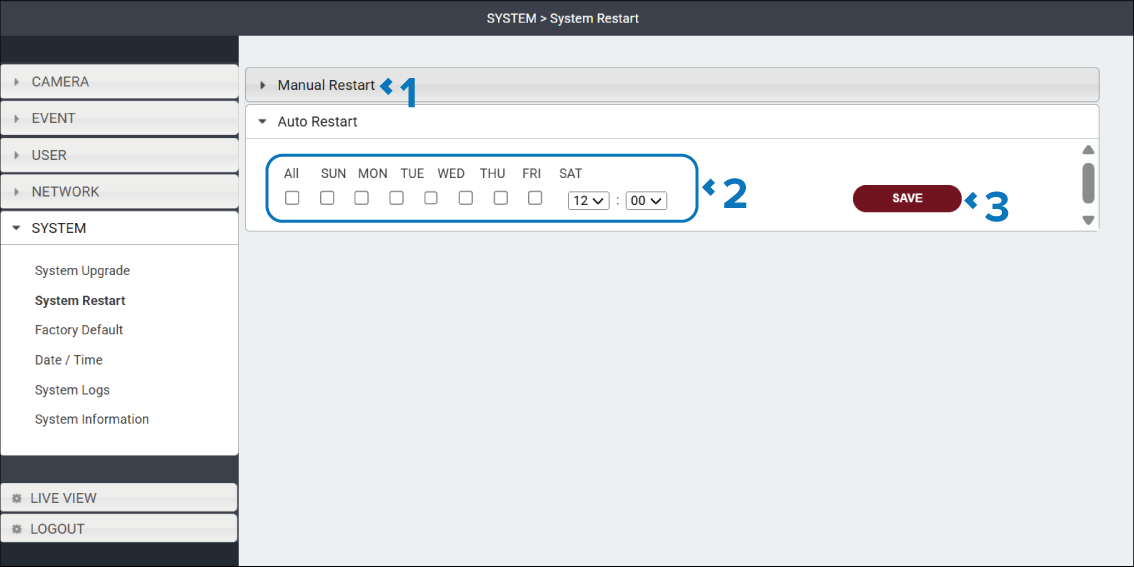
The System Restart page is used to manually restart the camera or configure the camera to automatically restart at a specified time on specified days..
The System Restart page is accessed by selecting: in the Navigation pane.
The System Restart page includes the following expandable sections:
Manual Restart
Auto Restart
Manual Restart
Description |
|
|---|---|
1 |
RESTART button Select the RESTART button to reboot the camera. |
2 |
Auto restart heading Select the Auto restart heading to display the automatic restart options |
Auto Restart
Description |
|
|---|---|
1 |
Manual Restart heading Select the Manual Restart heading to view the RESTART button. |
2 |
Days and time tick boxes and drop downs Specify the days and time of day the camera will automatically restart. |
3 |
SAVE button Select the SAVE button to save any changes you have made before leaving the page. |